🤖 AI assistant (MCP)
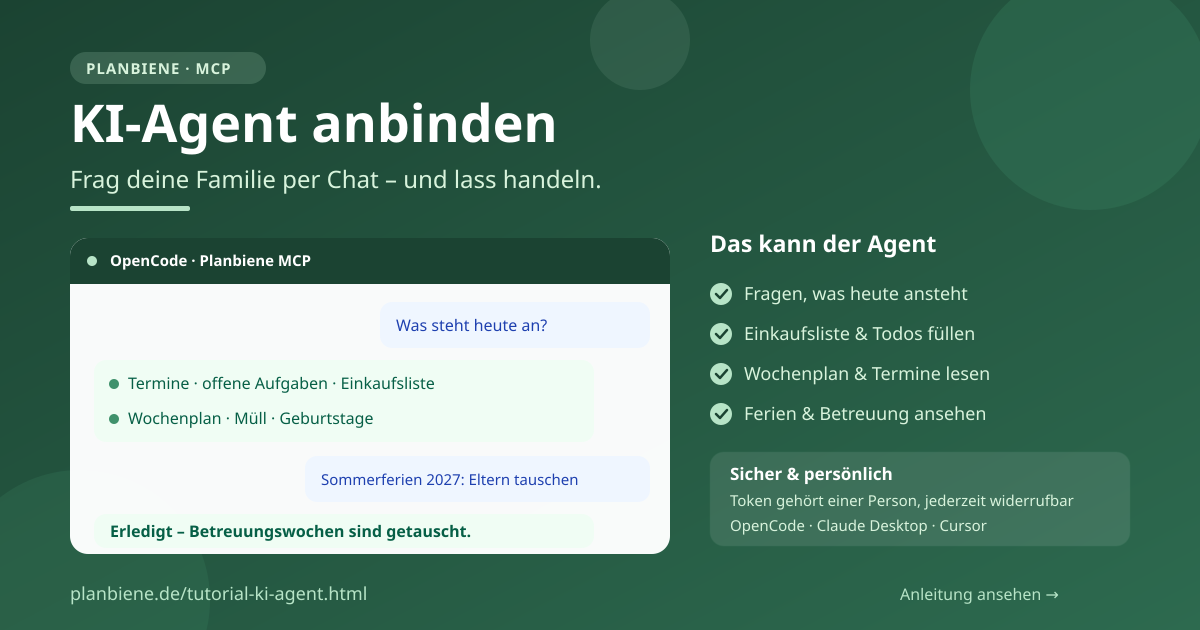
Planbiene can be connected as an MCP server (Model Context Protocol) to an AI assistant such as OpenCode. Then the assistant can query the family and act on request – just like a family member using the app:
“What's on today?” → appointments, open tasks, shopping list, waste collection, birthdays, holidays and the weekly plan for the day.
“Put milk on the shopping list.” → The item lands in the family's central list – exactly as via the app or Alexa.
The endpoint is part of the same PHP backend as the app – there is no second service and no cloud account. It speaks JSON-RPC 2.0 over HTTP (MCP “Streamable HTTP”, response as JSON) and authenticates via a personal access token.
What is MCP?
Model Context Protocol (MCP) is an open standard through which AI assistants
such as OpenCode, Claude Desktop or Cursor can use external tools and data sources. Planbiene
offers such an MCP endpoint: the assistant calls tools like heute,
einkaufsliste, einkauf_hinzufuegen and receives structured responses
which it translates into natural language.
Unlike Alexa (voice control), MCP is intended for text-based assistants: you
type in the chat, the assistant queries Planbiene and answers you. Both routes share the same
business logic (e.g. ShoppingListHelper::addManualItem()), so entries are always
handled the same way – regardless of whether they come via app, Alexa or AI assistant.
Requirements
- A Planbiene account with the shopping list module enabled (and, as desired, further modules such as to-dos, weekly plan, calendar, birthdays, waste collection, holidays).
- An assistant that supports MCP – e.g. OpenCode. The instructions below refer to OpenCode; other MCP clients work analogously.
- The 🤖 AI assistant tab in the settings only appears once the shopping list is enabled.
Step 1 – Create an access token
A token always belongs to a person, not to the family. It therefore carries exactly that person's rights: module activations, child role, lock on inactive families. Whoever shares their token shares their own rights – not those of the household.
- Open Planbiene and go to Settings → 🤖 AI assistant.
- Enter a label (e.g. “OpenCode on laptop”) and click Create token.
- The token is shown exactly once – copy it now and store it safely (format
pb_mcp_+ 64 hex characters). - Server-side only the SHA-256 hash is stored (
foodsaver_mcp_token.token_hash); the token cannot be recovered from the database. - Revoke deletes the row immediately – the assistant loses access on the next request.
last_use_time is updated on
every successful request. A token can only be created, listed and revoked by its owner.
Step 2 – Configure OpenCode
In opencode.json (global under ~/.config/opencode/opencode.json or
opencode.jsonc, or project-local in the repo root) under mcp.servers:
{
  "$schema": "https://opencode.ai/config.json",
  "mcp": {
    "servers": {
      "planbiene": {
        "type": "remote",
        "url": "https://app.planbiene.de/mcp.php",
        "oauth": false,
        "headers": {
          "Authorization": "Bearer {env:PLANBIENE_MCP_TOKEN}"
        }
      }
    }
  }
}
The token belongs in the environment variable PLANBIENE_MCP_TOKEN,
not in the configuration file:
export PLANBIENE_MCP_TOKEN='pb_mcp_…'
Enter it permanently in ~/.bashrc or ~/.zshrc so it survives a
restart. oauth: false is important: Planbiene offers no OAuth flow, only
header tokens; without this line OpenCode tries an OAuth login and fails.
Alternatively via the CLI:
export PLANBIENE_MCP_TOKEN='pb_mcp_…'
opencode mcp add planbiene --url https://app.planbiene.de/mcp.php \
  --header 'Authorization=Bearer {env:PLANBIENE_MCP_TOKEN}'
opencode mcp list
Older OpenCode versions (V1) put the server name directly under mcp, not under
mcp.servers. The fields type, url, oauth
and headers are the same.
Step 3 – Check the connection
opencode mcp list
Expected: planbiene connected. Without a token or with a wrong one OpenCode
reports “needs authentication” – then check oauth: false and reload the
environment variable.
Quick test without a client:
curl -i https://app.planbiene.de/mcp.php \
  -H 'Authorization: Bearer pb_mcp_…' \
  -H 'Content-Type: application/json' \
  -d '{"jsonrpc":"2.0","id":1,"method":"tools/list"}'
Expected: HTTP 200 with a JSON-RPC response. Without a token: HTTP 401.
What you can ask – examples
The assistant translates your questions into tool calls and answers in natural language. Some examples:
- “What's on today?” → appointments, open tasks, shopping list, waste collection, birthdays, holidays and the weekly plan for the day (only enabled modules).
- “Put milk on the shopping list.” → the item lands in the family's central list.
- “Put 500 grams of flour on the list.” → with quantity and unit.
- “What's on the shopping list?” → all open items with departments.
- “Which tasks are still open?” → open family and own private tasks.
- “Create a task ‘take out the rubbish’ for tomorrow.” → family or private task, optionally with points and assignment.
- “Tick off task 42.” → points to the log, recurring tasks are reset.
- “What are we cooking this week?” → weekly plan with recipes and portions.
- “Which appointments do we have in the next 7 days?” → family appointments in the period.
- “Whose birthday is coming up?” → next birthdays with distance and age.
- “When is the rubbish collected?” → next collection dates by date, filtered to the selected bins.
The tools in detail
Reading
| Tool | Arguments | Content |
|---|---|---|
heute | date (YYYY-MM-DD, default today) | Overview: appointments, custody day, tasks, shopping list, waste collection, birthdays, holidays, timetable, cooking plan – only for enabled modules |
einkaufsliste | list_id, include_checked | A list with items, departments and all lists of the family |
todos | include_done, include_paused, limit | Open family and own private tasks |
wochenplan | week_start_date (Monday) | Cooking plan of the week with recipes and portions |
kalender | from, to or days (max. 90 days) | Family appointments in the period |
geburtstage | days (default 30, max. 366) | Next birthdays with distance and age |
muelltermine | days (default 14, max. 60) | Next collection dates by date, filtered to the selected bins |
stundenplan | date, child_user_id, all_week | Children's timetable: without all_week the entries for the day from date, with all_week: true Monday to Friday; children only see their own plan |
Writing
| Tool | Arguments | Effect |
|---|---|---|
einkauf_hinzufuegen | name (required), amount, unit, list_id | Uses ShoppingListHelper::addManualItem(): an existing open item is merged, a ticked one is reopened, department determined by family rules, demo limit respected |
todo_anlegen | title (required), due_date, notes, scope, points, assigned_user_id | Creates a family or private task; assignment notifies the target person |
todo_erledigen | id (required) | Ticks off a visible task, writes points to the log, resets recurring tasks and notifies the family for family tasks |
The responses contain the readable text in content[0].text and the same data
machine-readable in structuredContent. Business errors (demo limit, missing
rights, invalid date) come back as a tool result with isError: true, not as a
JSON-RPC error; only protocol errors are JSON-RPC error objects.
Rights and limits
Every tool checks the same rules as the app:
- Module enabled?
requireFeature()– otherwiseisErrorwith “No permission.” Forheute, disabled areas simply are missing from the response. - Parent modules:
budget,receipts,sick_daysandemail_notificationsare not offered via MCP at all. A child token sees them neither reading nor writing. - Child role: tasks are visible as in the app (family tasks plus own private ones); other people's private tasks stay invisible.
- Inactive family: reading stays allowed, writing is rejected via
ReadOnlyHelper::assertMayWrite()with the same message as in the app. - Demo family: the same limits as in the app (
FamilyModel::DEMO_TODO_LIMIT,DEMO_SHOPPINGLIST_MANUAL_LIMIT). - Holidays/custody planner:
heutereturns the custody day and running holidays only if the person may see thecustodyorvacationmodule.
Because the token is attached to the person, a release “for the assistant” is always a release of that person. There is deliberately no family-wide MCP access and no “assistant” role.
Security
- Only the hash is stored. A database dump contains no usable tokens.
- Shown once. After creation the token can no longer be read; lost means create a new one.
- Revocation takes effect immediately. The table is read on every request; there is no cache.
- No password, no session. The token replaces login towards the assistant. Treat it like a password and store it in an environment variable, not in the repository.
- HTTPS is mandatory. The endpoint lives on the same domain as the app.
- Access log. Successful requests run through
AccessLogHelperand appear – throttled – in the access statistics. The token value itself is never logged. - No sharing with third parties. The assistant only receives the data the token owner may see; the responses contain no passwords, auth keys or other people's tokens.
Endpoint and protocol (short overview)
| URL | https://app.planbiene.de/mcp.php |
|---|---|
| Method | POST (JSON-RPC 2.0) |
| Response | application/json, a JSON-RPC object or an array for batch requests |
| Session | none – every token stands on its own |
| Token transfer | Authorization: Bearer … (recommended), X-Planbiene-Token, or ?token=… as a fallback |
| Protocol versions | 2024-11-05, 2025-03-26, 2025-06-18, 2025-11-25 (latest is returned) |
| Methods | initialize, notifications/initialized, ping, tools/list, tools/call |
GET and DELETE are not part of the offer and are rejected with HTTP 405
and Allow: POST. Notifications (without id) are never answered; if
nothing remains in a batch request, the server answers with HTTP 202 and an empty body.
Troubleshooting
| Symptom | Cause / solution |
|---|---|
| HTTP 401 despite a valid token | Authorization does not reach PHP. Check whether the .htaccess contains the SetEnvIf line; alternatively send X-Planbiene-Token. In the app under Settings → AI assistant check whether the token still exists. |
| HTTP 405 | A GET or DELETE was sent. MCP requests are POST. |
-32700 Parse error | The body is not valid JSON. |
-32601 Method not found | The client speaks a method the endpoint does not know (e.g. resources/list). |
isError: true with “No permission.” | The module is not enabled for this person, or the family is inactive and a write was attempted. |
| Empty response with HTTP 202 | It was a notification without id – that is correct. |
| OpenCode demands OAuth | Add oauth: false to the server configuration. |
mcp list shows “needs authentication” | This only happens when oauth is not disabled; Planbiene has no OAuth flow. |
OAuth 2.1 for Alexa+ (MCP Toolkit)
Since November 2026 Alexa+ supports MCP via the “Alexa+ MCP Toolkit": Alexa+ acts as an MCP client and can use Planbiene – without the classic Alexa skill. Planbiene offers an OAuth 2.1 flow with PKCE (S256) for this, in parallel to the simple bearer tokens.
- Protected Resource Metadata:
https://app.planbiene.de/.well-known/oauth-protected-resource - Authorization Server Metadata:
https://app.planbiene.de/.well-known/oauth-authorization-server - Consent page:
https://app.planbiene.de/#/oauth/consent - Token endpoint:
https://app.planbiene.de/oauth.php?c=McpOAuth&a=token
Access token (24h) + refresh token (30 days). The user signs in to Planbiene and confirms the access. Prerequisite: performance under 500 ms (shared hosting – check if needed).
MCP vs. Alexa – what is the difference?
Both routes share the same business logic (e.g. ShoppingListHelper::addManualItem()),
but address different users:
- Alexa – voice control on the Echo: “Alexa, start Planbiene and put milk on the list”. Meant for utterances on the go, without the phone.
- MCP / AI assistant – text-based chat with OpenCode, Claude Desktop, Cursor and others: “What's on today?”, “Put milk on the shopping list”, “Which tasks are open?”. Meant for more detailed questions and actions at the desk.
You can use both in parallel – they write to the same shopping list and the same tasks.
Modules at a glance
A random marketing banner from the pool of features – clickable, it leads to the matching handbook chapter. Reload to see another.