
🎁 Wish lists
Wish lists collect the children's wishes for an occasion – Christmas, a birthday or simply “soon”. Each occasion belongs to one child (or to all children); that way each child only sees their own list, and the parents keep track of who gets what and when.
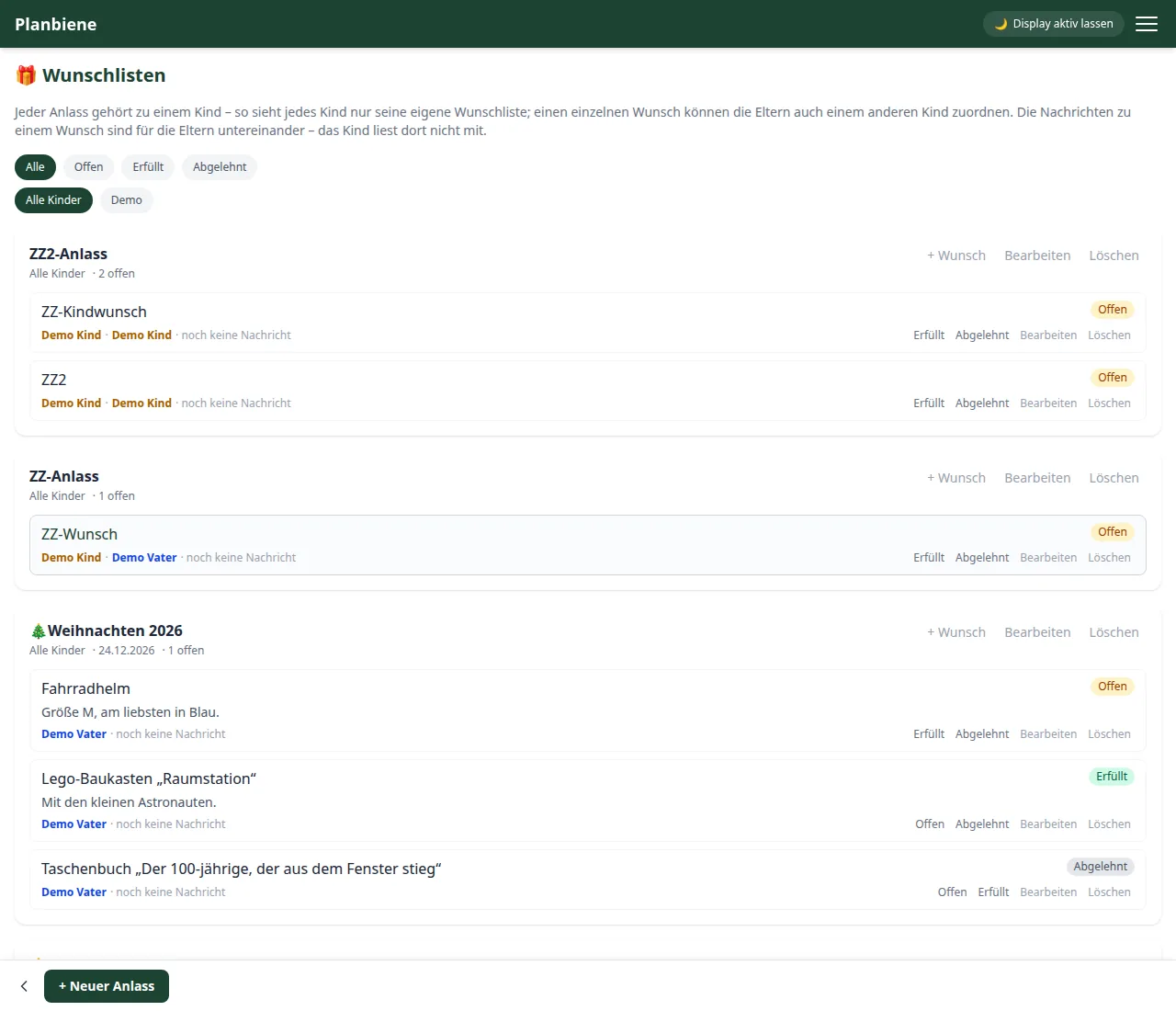
Creating an occasion
- Open 🗂️ Modules › 🎁 Wish lists in the menu.
- Tap + New occasion (e.g. “Christmas 2026”).
- Decide whose wish list this is: a child, “All children” – or, if you are a child yourself, “Yourself”.
- Optional: date and a symbol (🎄🎂⭐ …).
Adding and marking wishes
Within an occasion you add individual wishes with + Wish – with a title and details such as size, colour or where the wish can be found in the catalogue. The app shows per occasion how many wishes are still open. Wishes can be set to Open, Fulfilled or Declined – setting the status is reserved for the parents so that the surprise is preserved. Children may create wishes and browse their own list.
Messages on a wish
Every wish can carry comments from the parents (“I'll get it”) – these messages are deliberately visible only among the parents; the child does not read along there. That way arrangements and prices stay a well-kept parental secret.
Sharing with the grandparents
Via the Share link card you share the open wishes of an occasion by link – for instance with grandma and grandpa. The view is read-only and works entirely without a login; using the same button you revoke the link at any time.