
📖 Learning
Learning is the app's practice module for children: parents put together tasks, children practise them – and earn points for a run without a single mistake. Seven task types are possible:
- Word practice – single words, the correct spelling is chosen.
- Dictation – a complete text, read out sentence by sentence, answered word by word.
- Vocabulary – word for word with a translation, queried in both directions.
- Multiple choice – a question with up to four answers.
- Map with markers – a diagram or map with set markers whose labels are assigned.
- Irregular verbs – irregular verbs (infinitive, simple past, past participle).
- Reducing fractions – with difficulty easy, medium or hard.
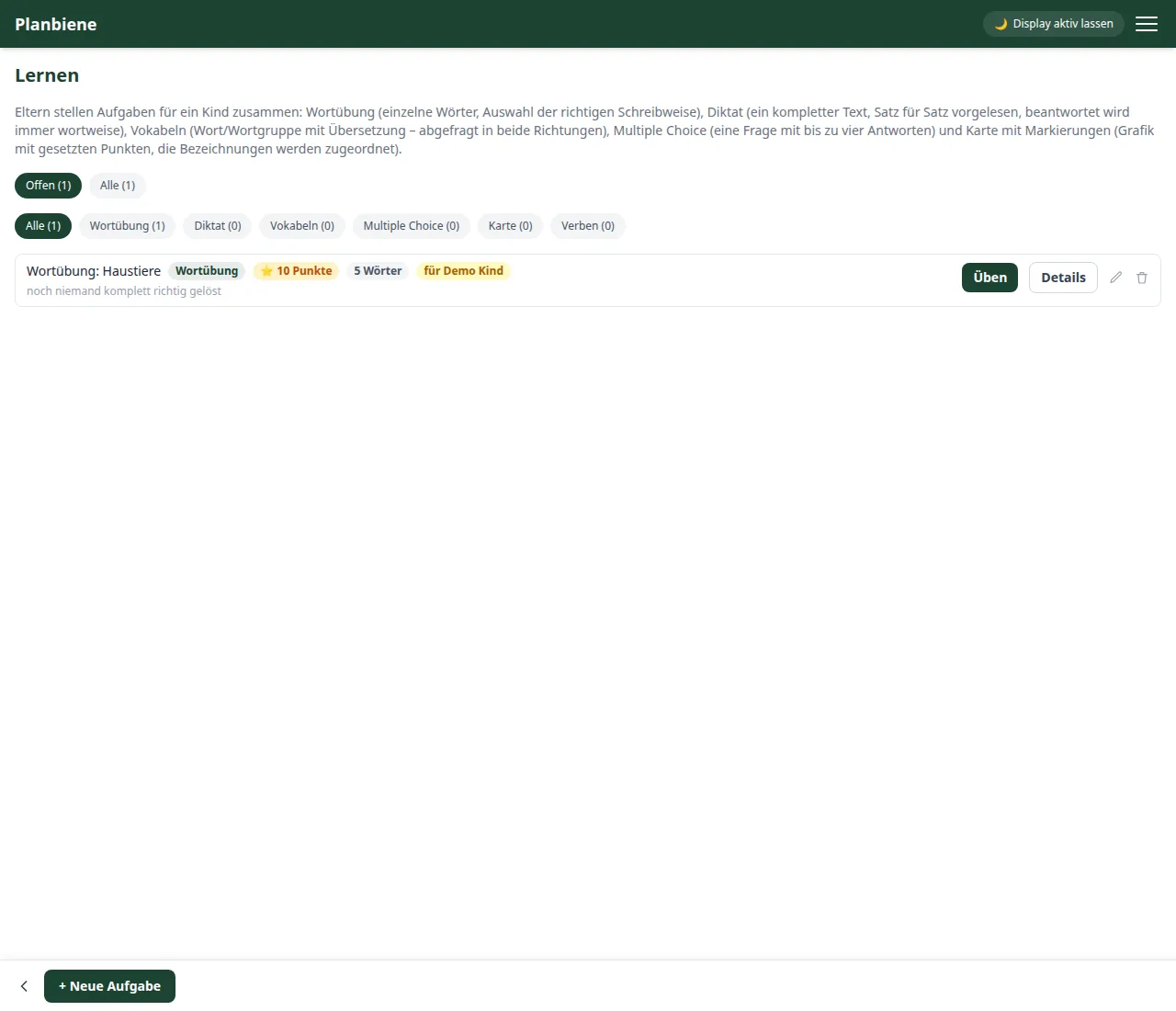
Creating a task
- Open 🗂️ Modules › 📖 Learning in the menu.
- Tap + New task at the bottom (parents only).
- Enter a title (e.g. “Dictation year 2 – words with h”) and choose the type (see above).
- Decide for which child the task applies, or whether it applies to all children.
- Set the points – they are only awarded if the child solves the task without a wrong attempt.
- Fill in the content depending on the type: word list, dictation text, vocabulary pairs, questions, markers on a graphic, verbs or fractions.
- Optional: activate practice mode – then the child may have the correct solution shown during the practice (e.g. as help), without losing the points.
Practising and points
The child opens the task and taps Practise. A run is completely correct when all steps succeed without a wrong attempt – then there are the full ⭐ points. Nearly there means: no points, simply have another go. Tasks that have already been completed can be repeated as often as you like without points, so practising does not hinge on chasing points.
On the home page
The 📖 Learning tile shows up to four open tasks right away – one tap jumps straight into the practice. For a completed task the child sees on the task entry “✓ done – repetition without points”.
Public test link
Via the Public test card you share a practice run with people outside the family – without logging in they can work through the practice run. Every completed run is recorded anonymously and appears on the task; no points are awarded for it.