
📆 Holidays
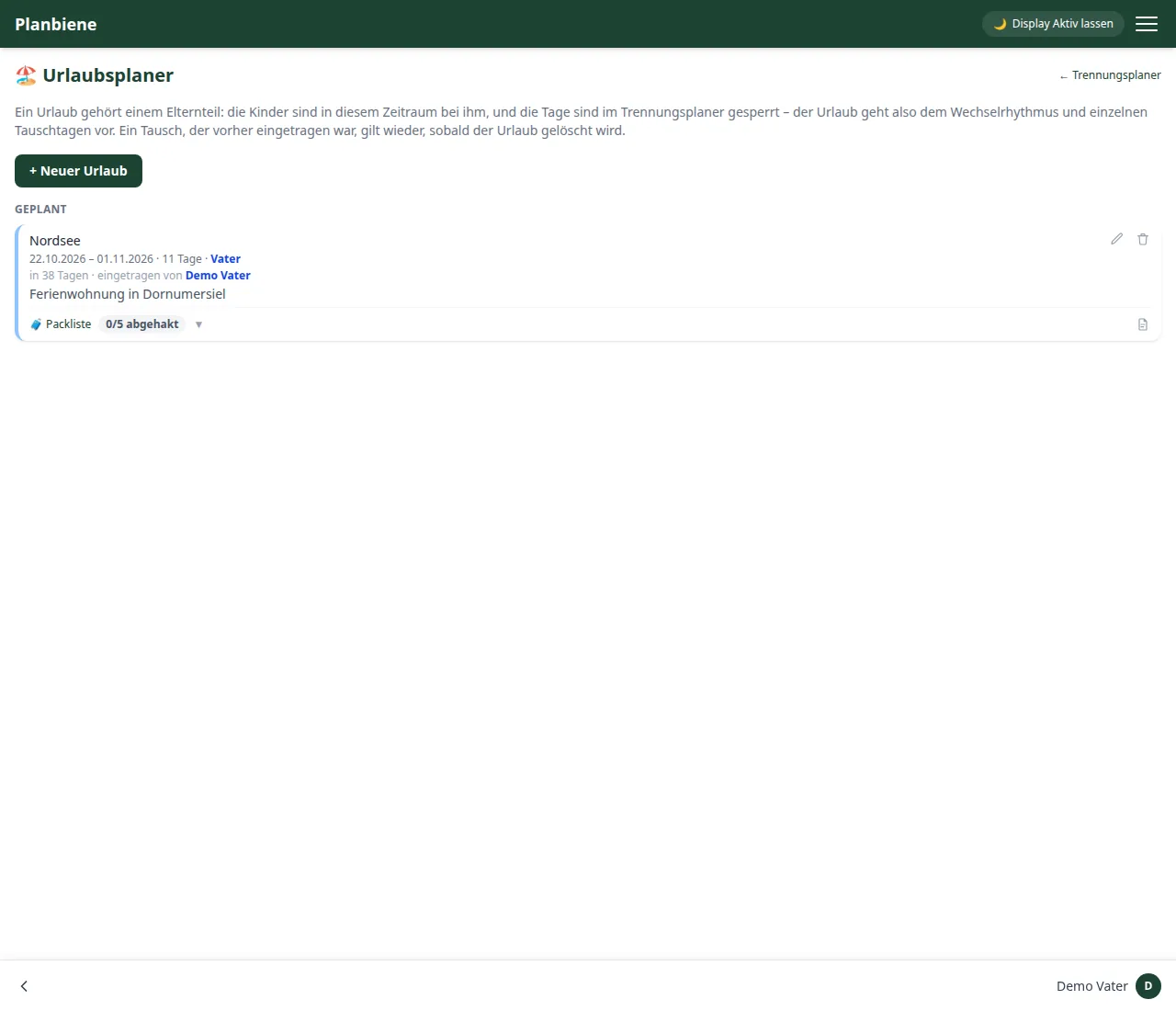
The holiday planner is a module of its own with its own menu entry and helps you coordinate holidays with the children: who is going where and when, what still has to be packed, and when do you set off?
There are two kinds of entries:
- Trip – a holiday during which one parent travels with the children. The holiday days are firmly assigned and locked to that parent in the custody planner.
- 🌴 Time off – purely informational, to show when someone is free. It occupies no days in the custody planner and locks nothing; the regular rotation stays untouched.
Creating an entry
- Open the 🏖️ Holiday planning entry in the menu.
- Click + New holiday in the bar at the bottom.
- Choose the type: Trip or 🌴 Time off.
- Enter a title (e.g. the destination).
- Choose which parent is travelling with the children (or whose time off is being recorded).
- Set the period (from and to, inclusive).
- Optionally: add a note (hotel, flight times, emergency number) – for a Trip with formatting (headings, lists, bold).
- Save – done.
The holiday days of a Trip are firmly assigned and locked to that parent in the custody planner – the regular rotation and individual swap days automatically step back for that period. If a holiday is deleted, the previous rotation applies again from then on. Time off, by contrast, only appears for information (also in the calendar), without blocking any days.
The note is also shown directly on the home page (holiday card): there you can view and edit it – without going through the holiday planner.
Status
Holidays are displayed in three groups:
- Running now – with a display of how many days are left.
- Planned – with a hint "starts tomorrow" or "in X days".
- Over – completed holidays.
Packing list
Each holiday has a list of tick-off items – up to 100 entries. Each item shows who ticked it off when. Features:
- Add an item
- Tick off individually and undo it again
- Tick all / untick all
Ticking things off deliberately triggers no notification – after all, you are packing on the side.
Packing list as a PDF
The PDF button exports the packing list as a print-ready PDF: title and period as the subtitle, two columns with tick boxes. Items already ticked off appear with a check mark. The footer shows the print date and page number.
Countdown on the home page
The home page shows the running or next holiday with a countdown: before the holiday the tile counts down to the start, during the holiday it shows the remaining days with a progress bar. It also displays the period, the number of days, the parent and the packing list progress (X of Y done).
Fireworks for the holiday
During a running travel holiday, a short firework plays above the page each holiday day when the app is opened (starting the app or signing in) – once per calendar day. For purely informative 🌴 free time it stays quiet.
Compare school holidays between federal states
In the vacation planner calendar you can select several federal states and find school holidays that overlap – fully or partially. The app detects overlapping periods and shows which states share them, helping you find a common window.