
📘 Documentation
The documentation keeps the family's devices, manuals and maintenance data in one place – from the coffee machine and the washing machine to a houseplant. Each manual comes with a photo, step-by-step instructions, recurring maintenance actions and a log with date and person, so watering, descaling or filter changes are never forgotten again. Just like the recipes, every family has its own, private collection.
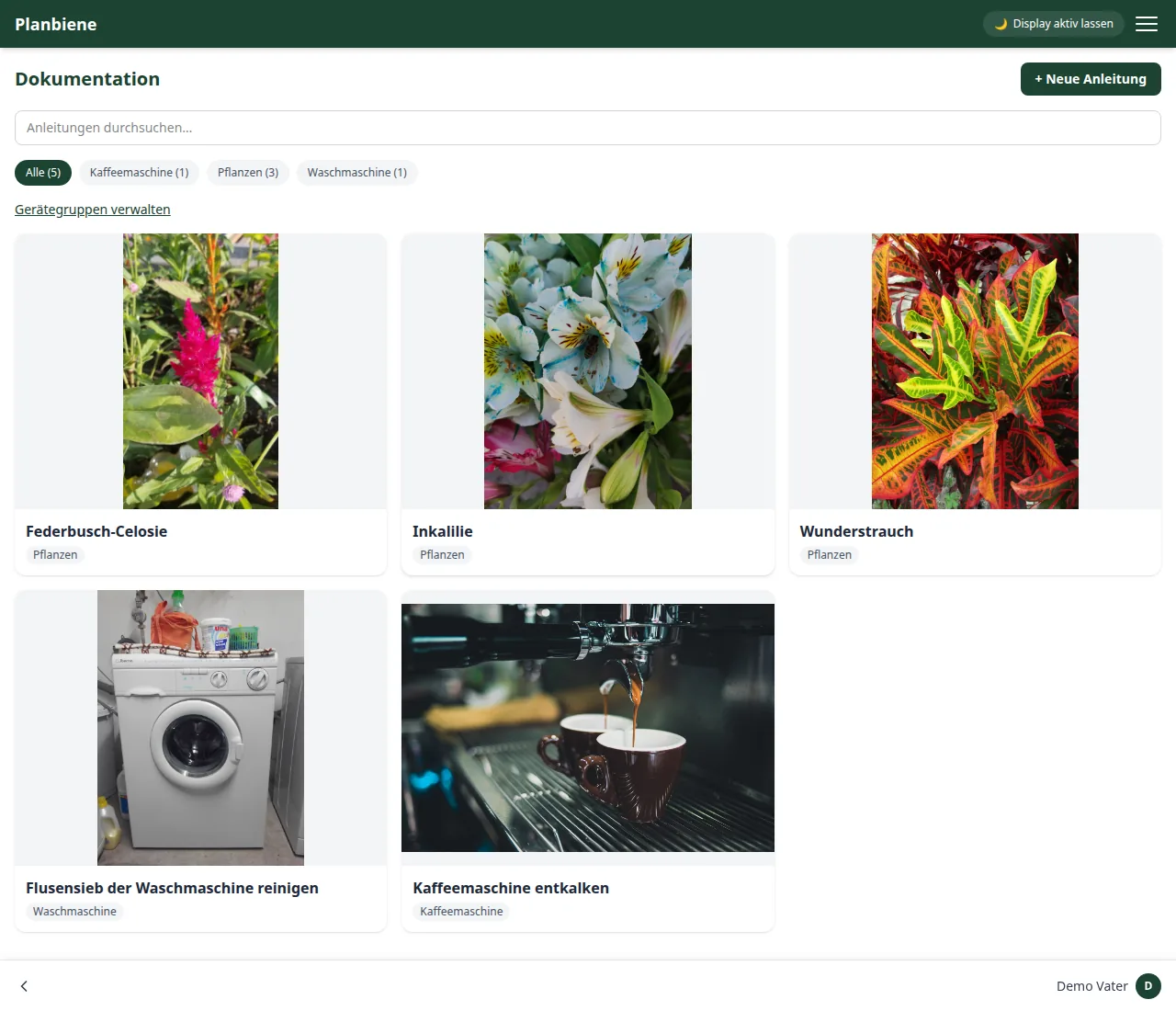
Creating a manual
- Open the Documentation item in the menu.
- Click + New manual at the top right.
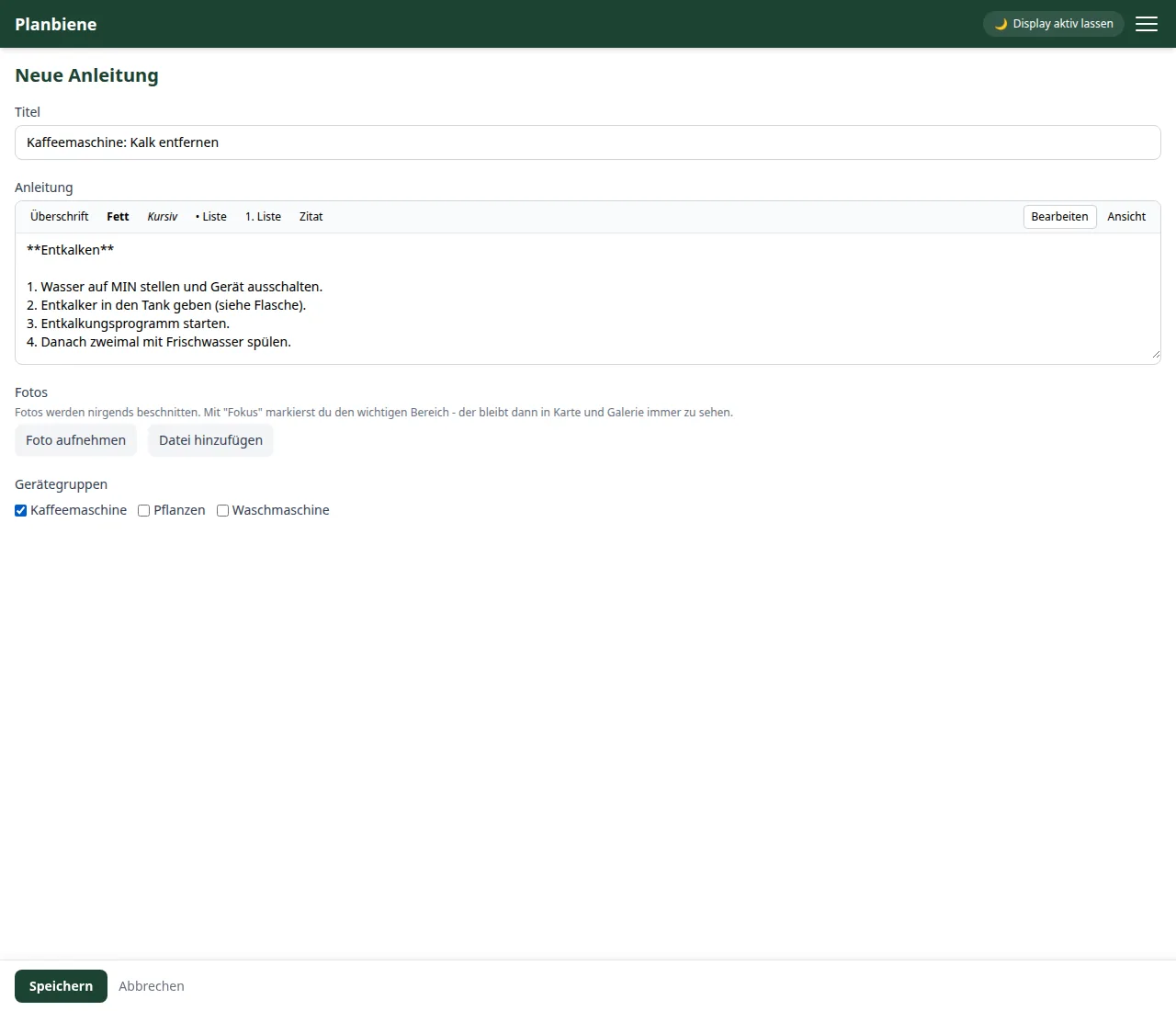
- Enter a Title – e.g. „Descaling the coffee machine“.
- Write the Instructions step by step. The built-in Markdown editor helps with paragraphs, lists, bold text and headings – including a preview.
- Optional: upload photos. With the focus area you set which part of the photo matters for the card.
- Optional: assign one or more device groups, e.g. „Coffee machine“ or „Washing machine“.
- Save – done.
Planning maintenance: Recurring actions
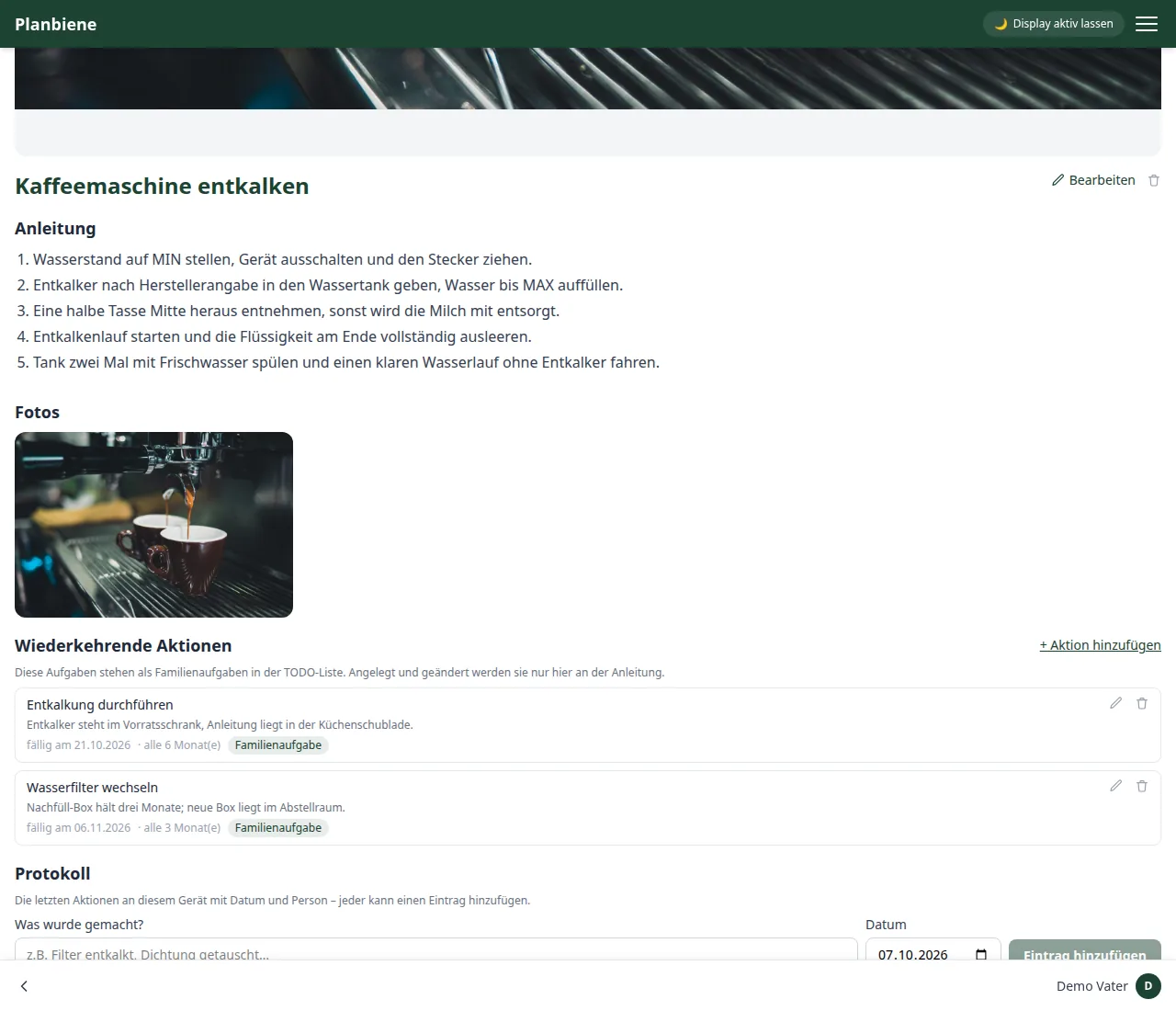
To make sure maintenance is never forgotten, you attach any number of recurring actions to each manual. On the detail page click + Add action and set:
- What to do? – e.g. „Run the descaling cycle“.
- A note alongside, e.g. which descaling agent you use.
- The first date as the due date.
- The interval: repeat „every 6 month(s)“, „every 14 day(s)“ or „every 2 week(s)“ – day, week or month are available.
The actions then appear as family tasks in the to-do list (with the badge „Manual: …“). They are created and edited exclusively here, on the manual page – so the family's maintenance logbook stays in one place. When you complete an action, the next due date is scheduled automatically. Overdue tasks are visible to everyone at a glance: „due on …“, „Due today“ or, in red, „{days} days overdue“.
Log: who did what when?
At the bottom of the detail page the family logs the work on a device. Everyone – including the children – enters what was done and on which date. The last 20 entries appear with name and date automatically in the right order, newest first. At a glance you see when the machine was last descaled or the water filter replaced. Entries cannot be changed or deleted afterwards – the log stays a trustworthy record.
Device groups
Via Manage device groups in the overview you create your own groups (e.g. „Coffee machine“, „Washing machine“, „Plants“) and can rename or delete existing ones. A manual can be assigned to several device groups at the same time. With the tabs in the overview („All“, a group name or „Without device group“) you find matching manuals faster.
Search, edit, delete
The search field in the overview filters by the title. Via Edit on the detail page you change the title, instructions, photos or device groups; via Delete you remove the manual permanently – together with its photos, maintenance actions and log.