
How do I store a manual with a maintenance interval?
In the documentation families collect devices and manuals in one place – from the coffee machine to the washing machine. The beauty of it: you don't only decide how something is done, but also when. Recurring actions (e.g. „descale every 6 months“) become family tasks in the to-do list, and a log records who did what and when.
Step by step
- Open the Documentation item in the menu.
- Click + New manual at the top right.
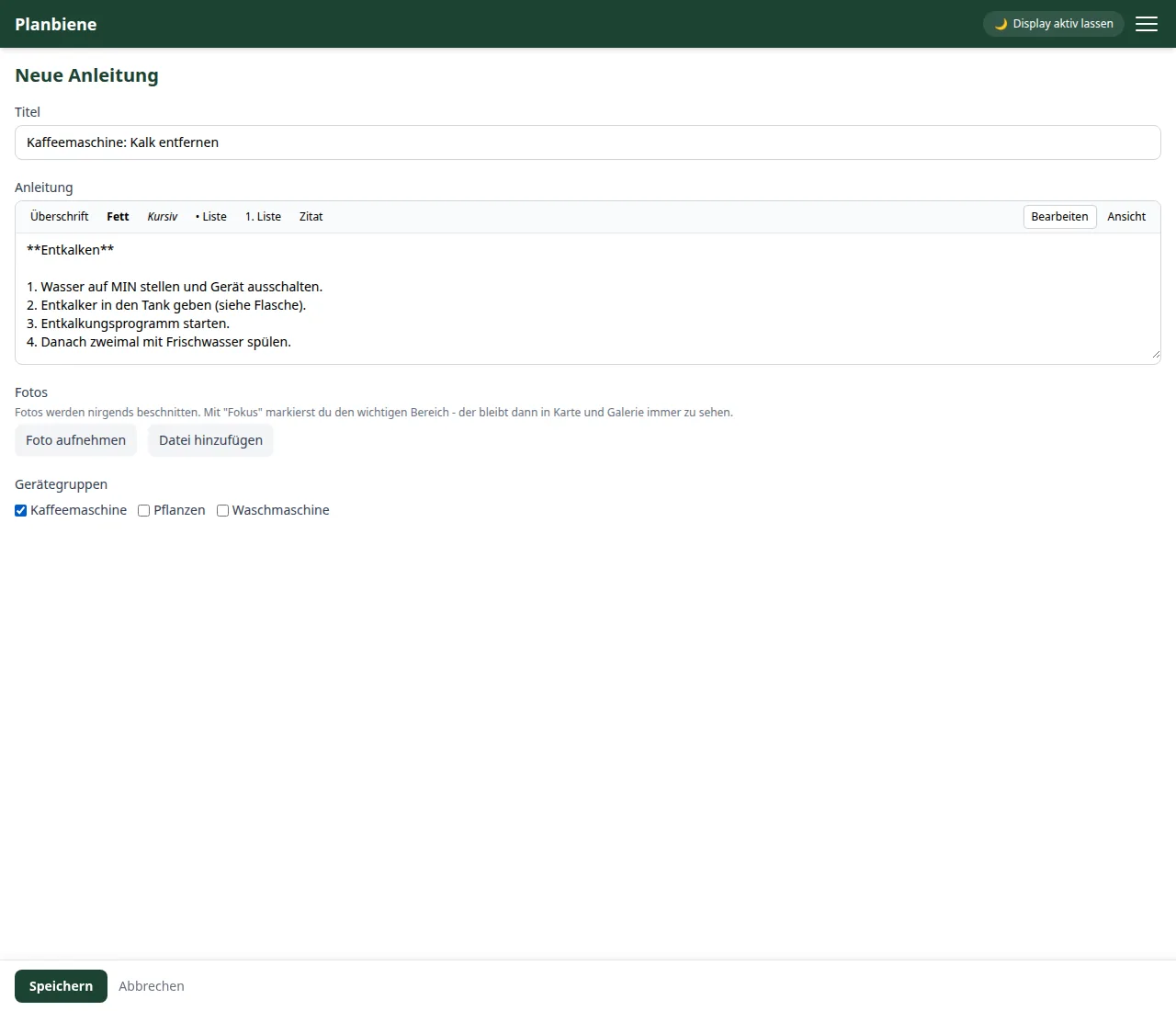
- Enter a Title – e.g. „Descaling the coffee machine“.
- Write the instructions step by step. The Markdown editor helps with lists, bold text and headings; the preview shows the result.
- Optional: upload photos and set the focus area to the important part.
- Optional: assign a device group, e.g. „Coffee machine“.
- Save – the manual is created.
Adding a maintenance interval
- Open the manual you just created.
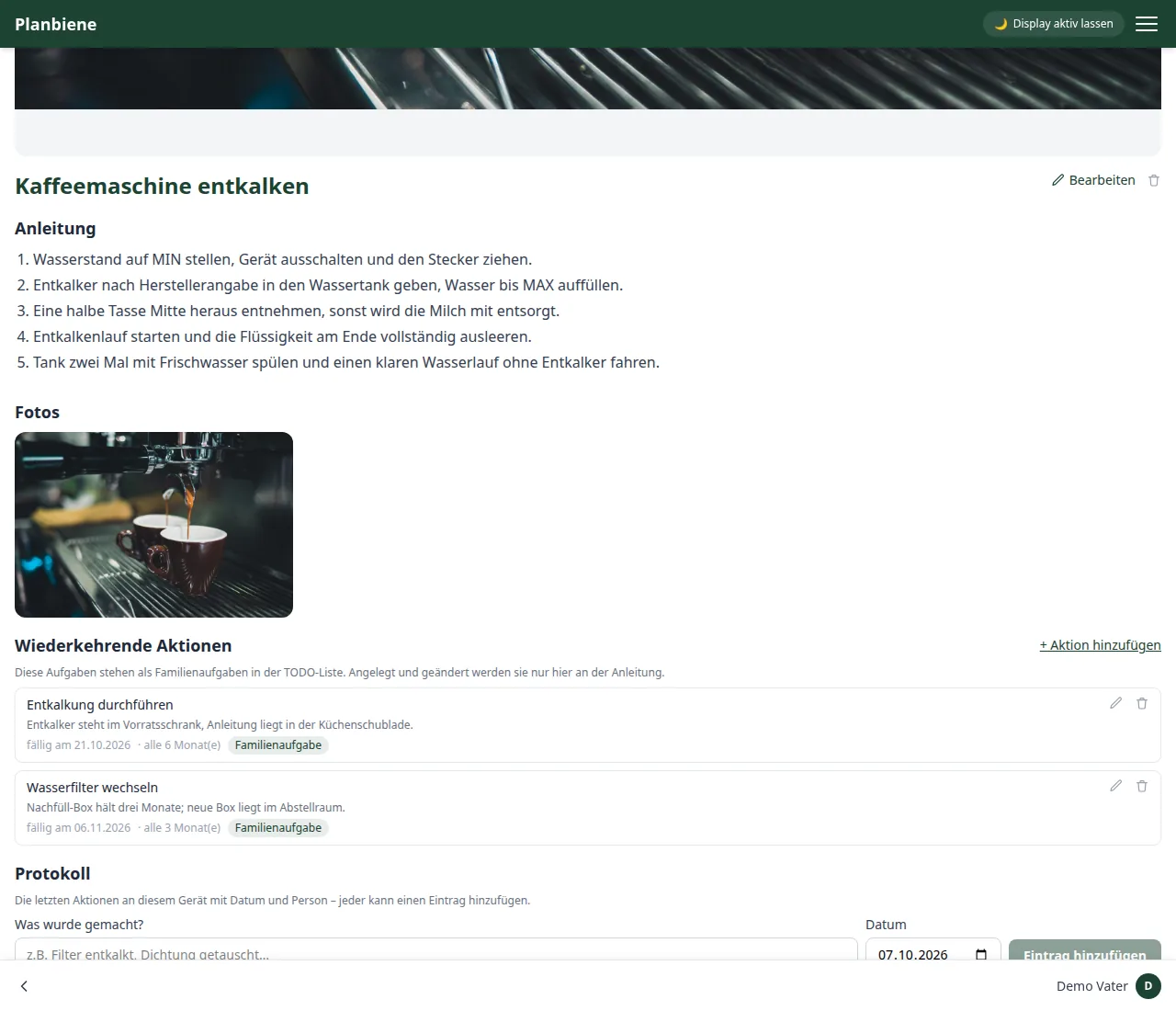
- In the Recurring actions section click + Add action.
- Enter what needs to be done – e.g. „Run the descaling cycle“.
- Add a note, e.g. which descaling agent you use.
- Set the first date as the due date.
- Enable Repeat and choose the interval – e.g. „every 6 month(s)“.
- Save – the action appears as a family task in the to-do list with the badge „Manual: …“.
Completing and logging
Whoever completes an action ticks it off in the to-do list – the app schedules the next due date automatically. Whenever needed, everyone (including the children) can add a log entry to the manual, e.g. „Descaled, fitted a new water filter“. The log shows the last 20 entries with date and name – unchangeable and visible to all.
Good to know
- Maintenance actions are only created, edited or deleted on the manual – not in the to-do list.
- Upcoming tasks are visible at a glance: „due on …“, „Due today“ or red „{days} days overdue“.
- Children may read the manuals and add log entries – creating or editing manuals requires a parent's account.
Everything about the documentation can be found in the Handbook: Documentation.