
🗣️ Alexa and Amazon Echo BETA
An Amazon Echo puts the shopping list right on the table: you say what is missing, and the entry is in the family's shopping list – before you even reach for your phone. The device is linked with a short code that Alexa reads out and that you enter once in Planbiene. That is all; there is nothing to install.
Where the code belongs
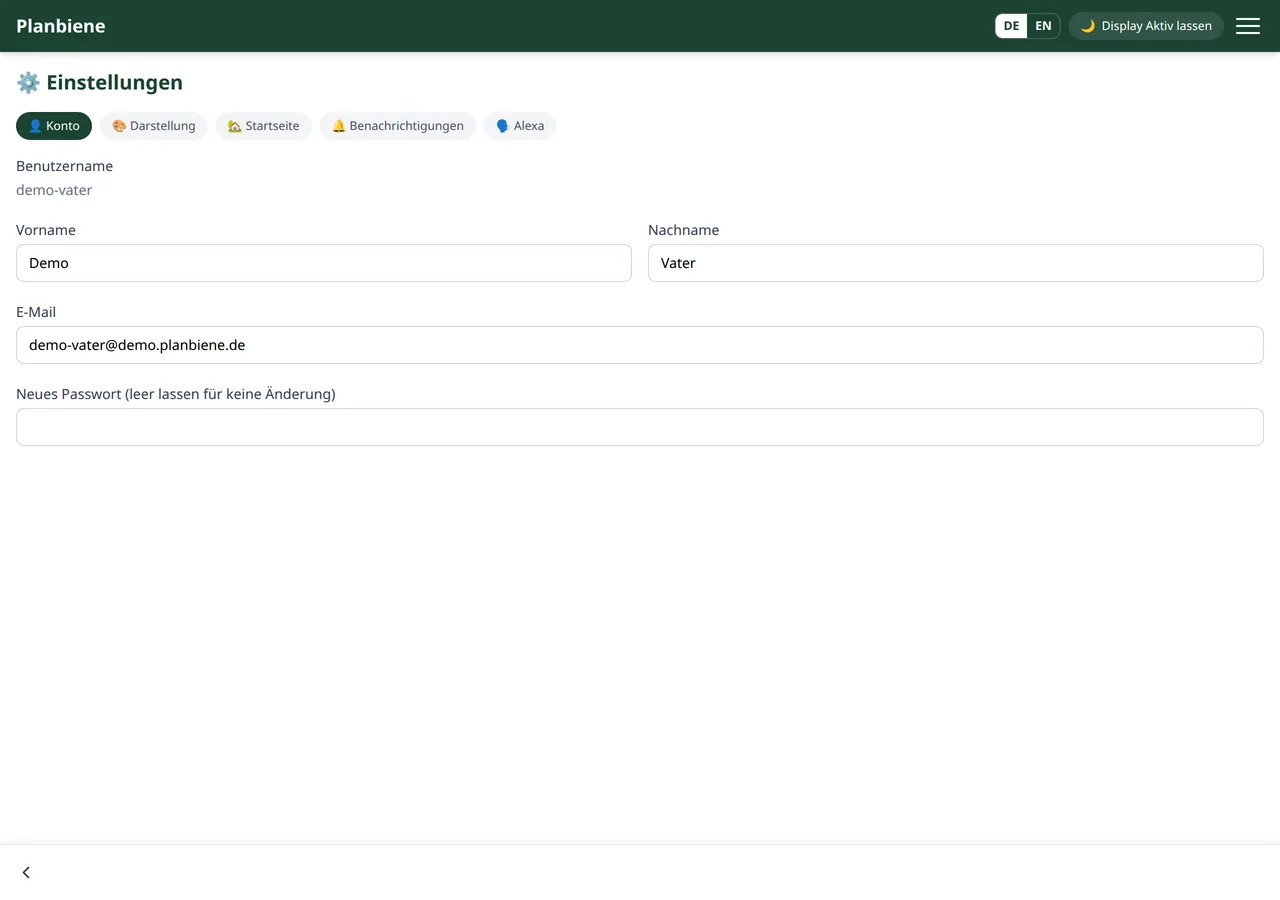
The pairing lives in the settings, on the 🗣️ Alexa tab. You reach it via your name in the footer of the app or directly via app.planbiene.de.
Requirements
- An Amazon Echo, Echo Dot or another device with Alexa.
- The Planbiene skill enabled in the Alexa app.
- The Shopping list must be enabled in your Planbiene account – the Alexa tab only appears then.
- Amazon invokes the skill in German. It does not respond in any other language.
Paired in four steps
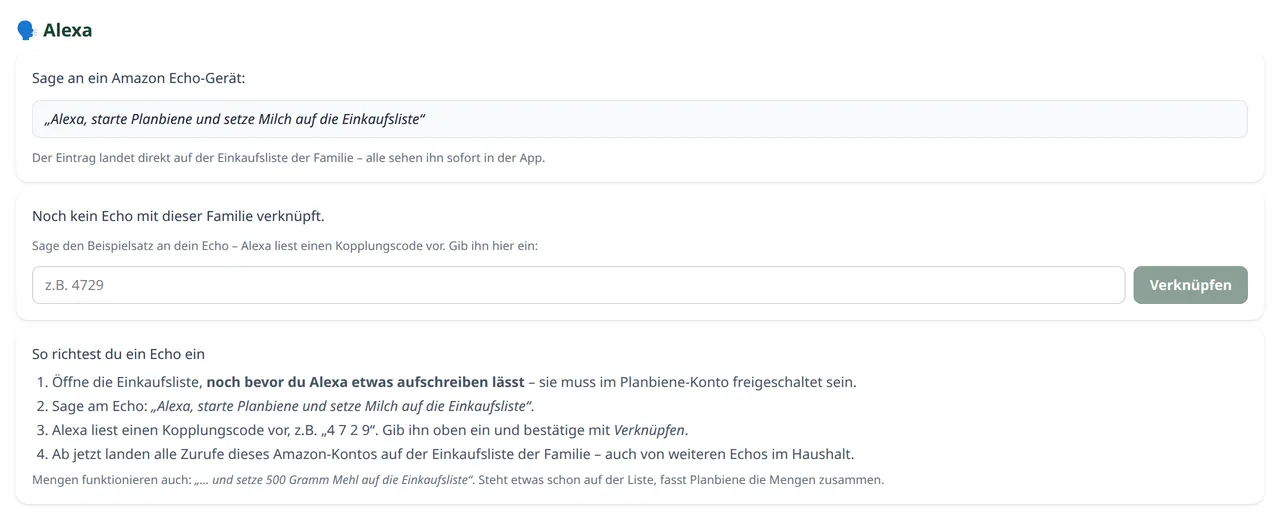
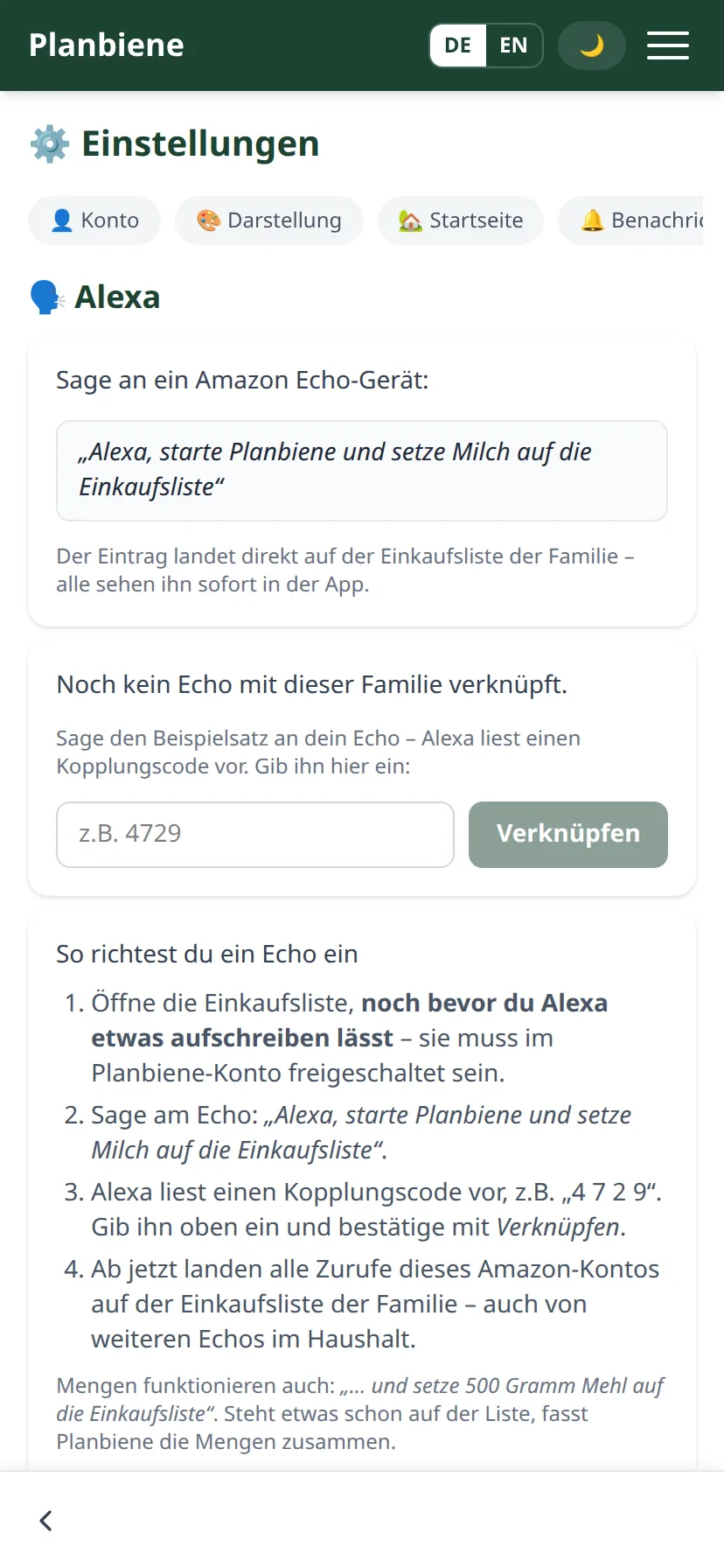
- Say the example sentence to the Echo. The easiest is „Alexa, starte Planbiene und setze Milch auf die Liste“ (“Alexa, start Planbiene and put milk on the list”). Say something else instead – that is no problem; any first sentence to the device is enough to start the pairing.
- Note down the code. Planbiene does not recognise the device yet and reads out a four-digit pairing code, character by character, for example „vier neun zwei eins“ (“four nine two one”).
- Enter the code in the app. Open the settings, tab 🗣️ Alexa, and type the code into the field next to the button Link.
- Done. The green confirmation appears, the code field disappears. From now on all utterances of this Amazon account land on the shopping list.
Without the whole sentence
The long example sentence is not mandatory. If you only say „Alexa, starte Planbiene“ (“Alexa, start Planbiene”), Planbiene asks What should I put on the shopping list? and waits – you then simply name the item. Like a checkout that asks first and then types in the item. Planbiene also understands “on the list” instead of “on the shopping list”: „setze Milch auf die Liste“ (“put milk on the list”) lands in the list just as cleanly as „Milch“ (“milk”) on its own.
If Alexa asks a question that is not an order, it does not land on the list either – Planbiene simply asks again in that case.
What you can say
After the pairing, any sentence that puts something on the list is enough. Quantities and units are understood and read back as well:
- „Alexa, starte Planbiene und setze Milch auf die Liste“ (“Alexa, start Planbiene and put milk on the list”)
- „Alexa, starte Planbiene und setze 500 Gramm Mehl auf die Liste“ (“Alexa, start Planbiene and put 500 grams of flour on the list”)
- „Alexa, starte Planbiene und nimm 6 Eier auf die Liste“ (“Alexa, start Planbiene and add 6 eggs to the list”)
Planbiene creates the entry in the family's shopping list, not in a private list. Everyone sees it immediately – even without doing anything themselves. If the item is already on the list, the right thing happens automatically: an open entry with the same name is merged with the stated quantity, and a ticked one is put back onto the list. Alexa reads both back to you, so you know what landed.
If the entry completes the list, a finished entry with a quantity goes out – just like when entering manually in the app. In the demo version the limit of five manual entries applies here.
All Echos of the household
The pairing hangs on the family, not on an account. An Echo in the children's room, one in the living room and every new device linked with the same Amazon account writes to the same list afterwards without any further action. Whoever enters the code can be a different family member – the pairing still applies to all.
Even if the person who paired leaves the household, the Echo keeps working. The entry is then credited to another active member of the family, so that it stays visible at the end who it came from.
Unlink
In the Alexa card there is the Unlink button for this, followed by a confirmation prompt. This affects all Echos of the household at the same time – afterwards the next device reads out a pairing code again. Before the next children's birthday this is usually the cleanest solution when the Echos are to stand somewhere else.
If it does not work
- Alexa says the skill is not available. The app must be reachable at the address you entered when enabling it. When switching to maintenance mode or after a change to the address, the only fix is to disable the skill once in the Alexa app and enable it again.
- The code is not accepted. Almost always it has expired. A new sentence to the Echo brings a new code with it. If there are several open codes at the same time, the newest one matches.
- The Alexa tab is missing in the settings. Then the shopping list is not enabled in the account.
- Alexa does not understand the sentence. The skill listens in German. After „Das habe ich nicht verstanden“ (“I did not understand that”) it is worth using the exact example sentence – if Alexa does not recognise the term „Einkaufsliste“ (“shopping list”), the sentence with „starte Planbiene“ (“start Planbiene”) in front of it helps.
What Amazon gets to see
So that Alexa can assign the sentence, your voice command ends up at Amazon – nothing more. From the app to Amazon only the technical check goes out, with which Amazon confirms signed requests: a technical key, the time and the type of command. The pairing code connects the device with your family; of that only a non-reversible fingerprint of the Amazon account is stored, not the account ID itself. More about this in the privacy policy.