
How do I keep the household budget?
The household budget keeps income and expenses in view: recurring entries (rent, insurance, salary) are converted to the month, individual bookings are listed with their actual date. A balance shows at the end whether anything is left over at the end of the month.
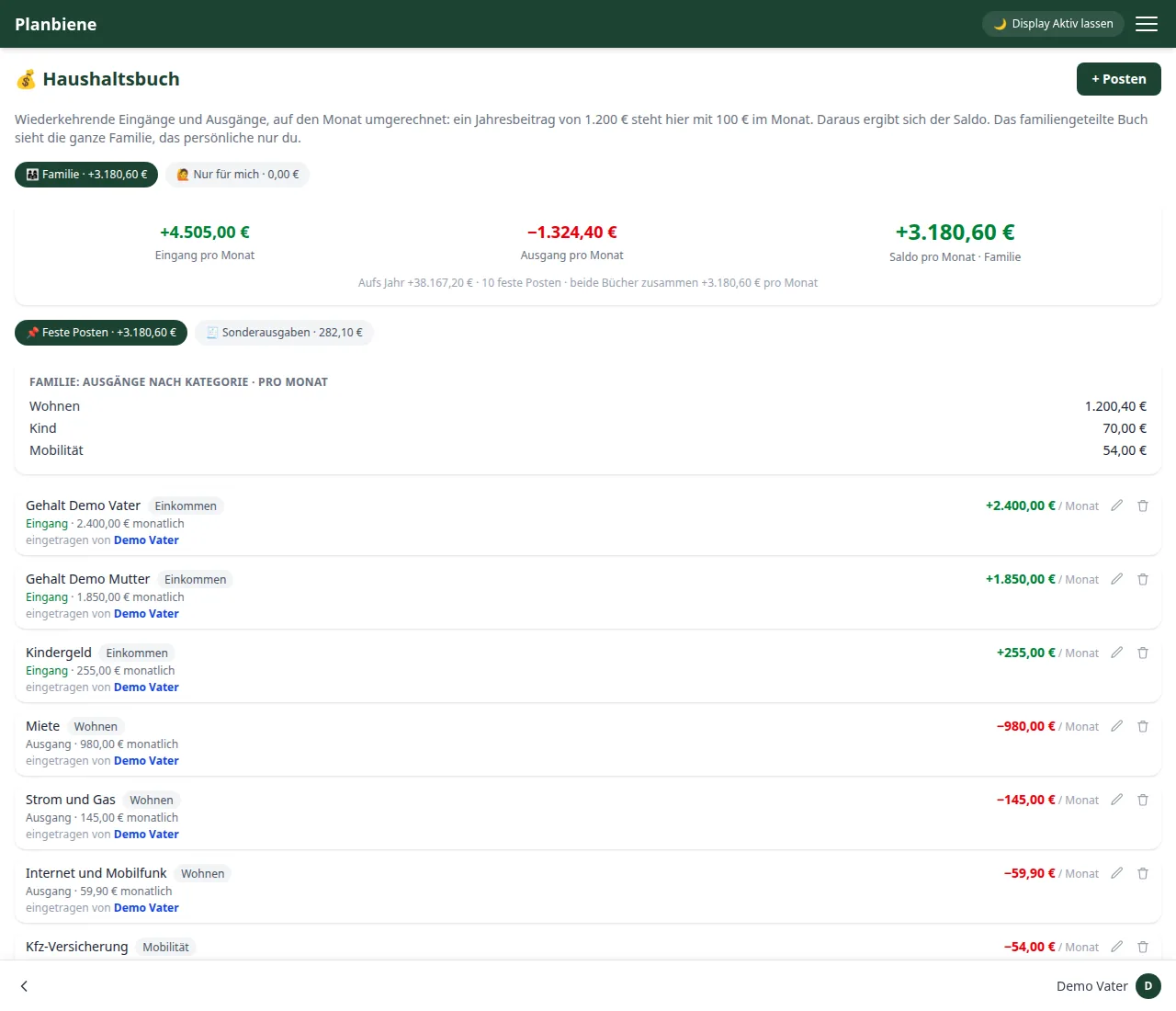
Step by step: Recurring entries
- Open the Household budget entry in the menu.
- Choose the right ledger at the top: Family or Only for me.
- Click + New entry.
- Enter title, direction (incoming or outgoing), amount and interval – the quick selection offers monthly, quarterly, semi-annual and annual.
- Optionally: add a category and a note.
- Save – the monthly share appears in the total immediately. Even while typing a preview shows what monthly amount the entry means.
Step by step: One-off expenses
- Switch the tab from Recurring entries to One-off expenses.
- Click + New booking.
- Enter title, direction, amount and date.
- Optionally: add a category and a note.
- Save – the booking appears in the month's list. With the arrow keys or the month dropdown you move between the months.
Balance and breakdown
- The figures card shows incoming and outgoing per month as well as the balance – green for a positive, red for a negative balance.
- Outgoing by category breaks down where the money goes: recurring entries as monthly shares, one-off expenses as the amounts of the month shown.
- Past months shows the one-off expenses of the last twelve months as a bar chart.
Tip: The balance on the home screen shows the month's balance including the
one-off expenses of the current month – so you have the overview without opening the app.
Amounts are accepted in German format ("29,90"); the household budget is deliberately
kept free of notifications.
All the details are in the Handbook: Household budget.