
How do I swap a custody day in the custody planner?
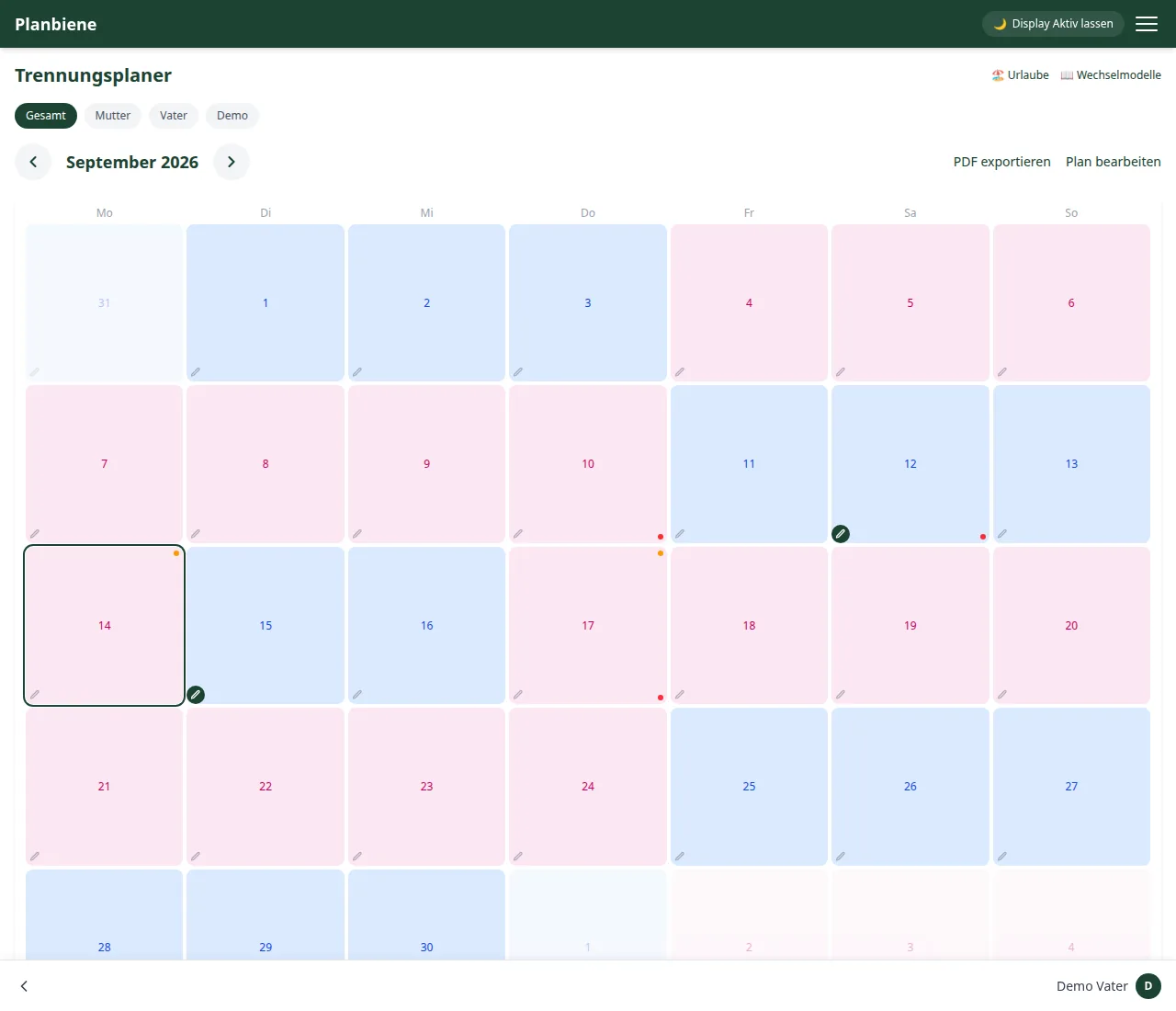
Once you have set which shared custody model is to apply, the app fills the calendar automatically. For individual deviations – a school event, an appointment, an extra visit – you assign a particular day to the other parent: a swap day. The base pattern remains untouched.
Step by step
- Open the Custody planner entry in the menu.
- Tap the day in the calendar that should move to the other parent.
- Assign the day to the other parent.
- Optional: Using the pencil icon you can add a note, for example a doctor's appointment or a handover reminder.
- Done – the day is marked with a small dot and visibly departs from the base pattern.
Where the change stays visible
Every swap automatically ends up in the change log below the calendar – including the person who made the change. That way both sides and the share link view always see where the regular pattern is departed from.
Undoing a swap
Just tap the day again and assign it back to the regular parent – the marking disappears, and the change remains traceable in the log.
Everything about the custody planner can be found in the Handbook: Custody planner.