
All of family life. One app.
Recipes, documentation, weekly planner, children's week plan, shopping list, to-dos, learning, waste collection, wish lists, custody planner, household budget, receipts, notes, timetable and sick days for your children – Planbiene brings together everything a family needs to get organised, in one place. For families just as much as for patchwork families with a shared custody model. Every family gets its own strictly separated area.
Prefer to read first? The handbook explains every feature step by step.
Why yet another household app?
Most families spread meal planning, shopping lists, tasks and finances across several apps, scraps of paper and chat histories. Planbiene grew out of a personal need to bring all of this together in one place – including the quirks of patchwork families with a shared custody model, for which hardly any specialised tools exist. Accordingly, the app is deliberately lean: no advertising, no tracking, no further processing of your data for any other purpose.
Everything that organises family life
Every family gets its own separate area – nothing is shared with other families. For detailed instructions see the handbook.
Recipes
Your own recipe collection with ingredients, categories and number of people – scalable up and down.
Cooking mode
Full-screen mode for cooking with display wake lock, step by step guidance and progress.
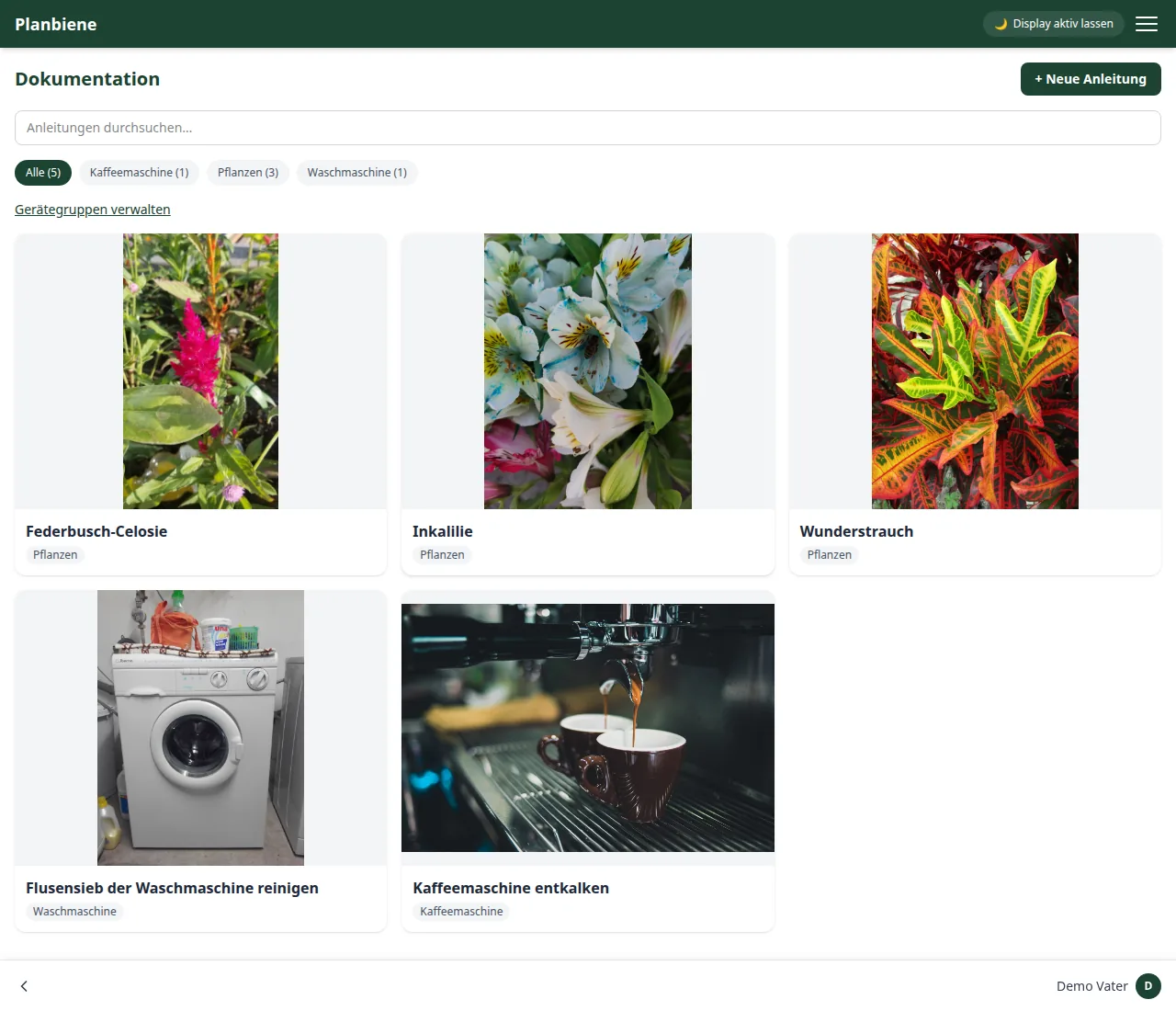
Documentation
Device manuals for appliances and household items with photo, categories and maintenance log in one place – so nothing gets forgotten.
Weekly assistant
Plan cooking days, assign recipes, adjust the number of people per day, recognise shared ingredients.
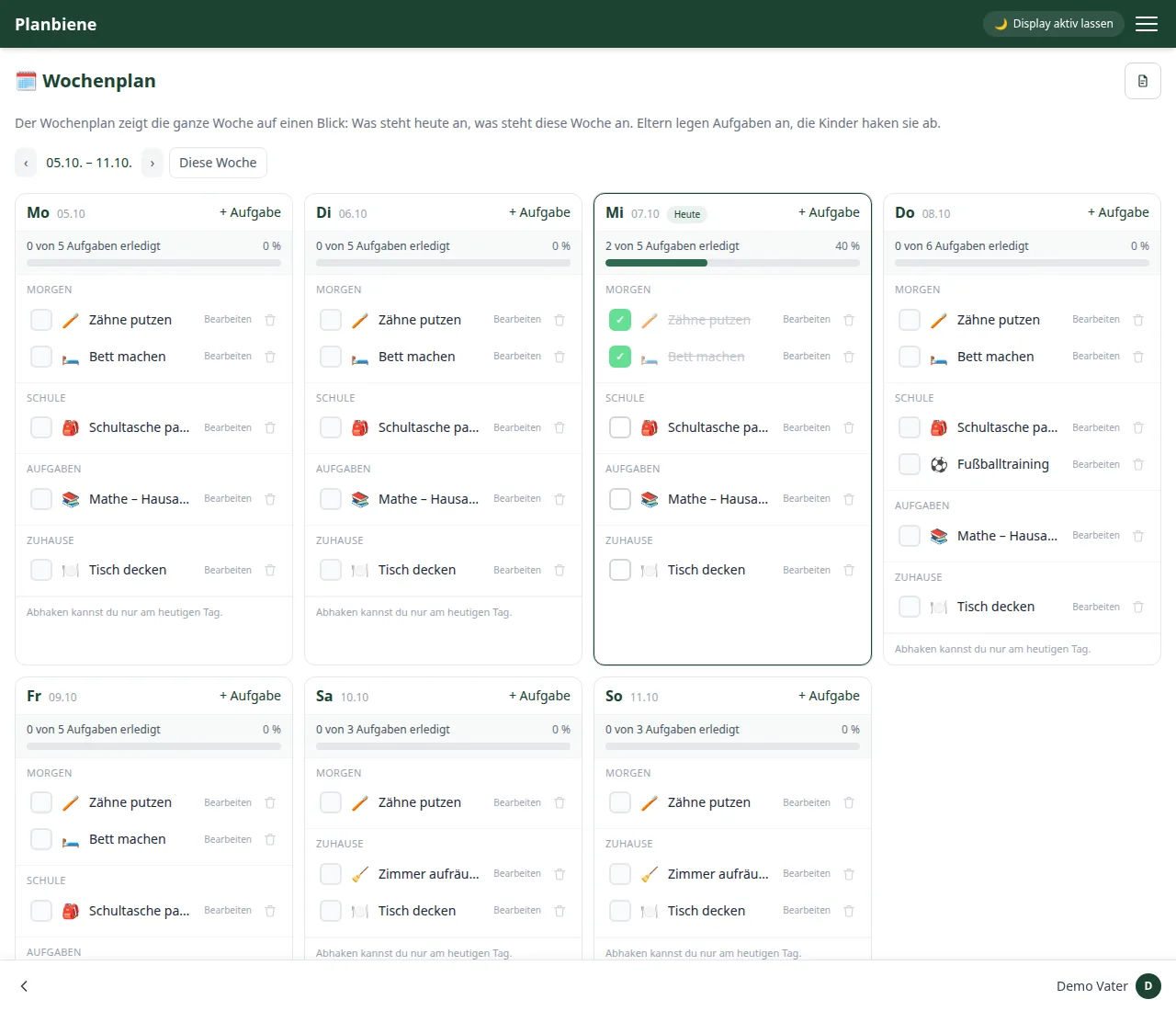
Children's week plan
Parents create tasks, children tick them off: the whole week with morning, school, homework and home – as a print-ready PDF on request.
Shopping list
Ingredients from the weekly planner are totalled up automatically, manual entries can be added at any time.
To-dos
Tasks for the whole family or purely private – with categories, repetition, snoozing and due dates.
Points
Completed tasks earn points – with a ranking, a history and an evaluation by category. Especially motivating for children.
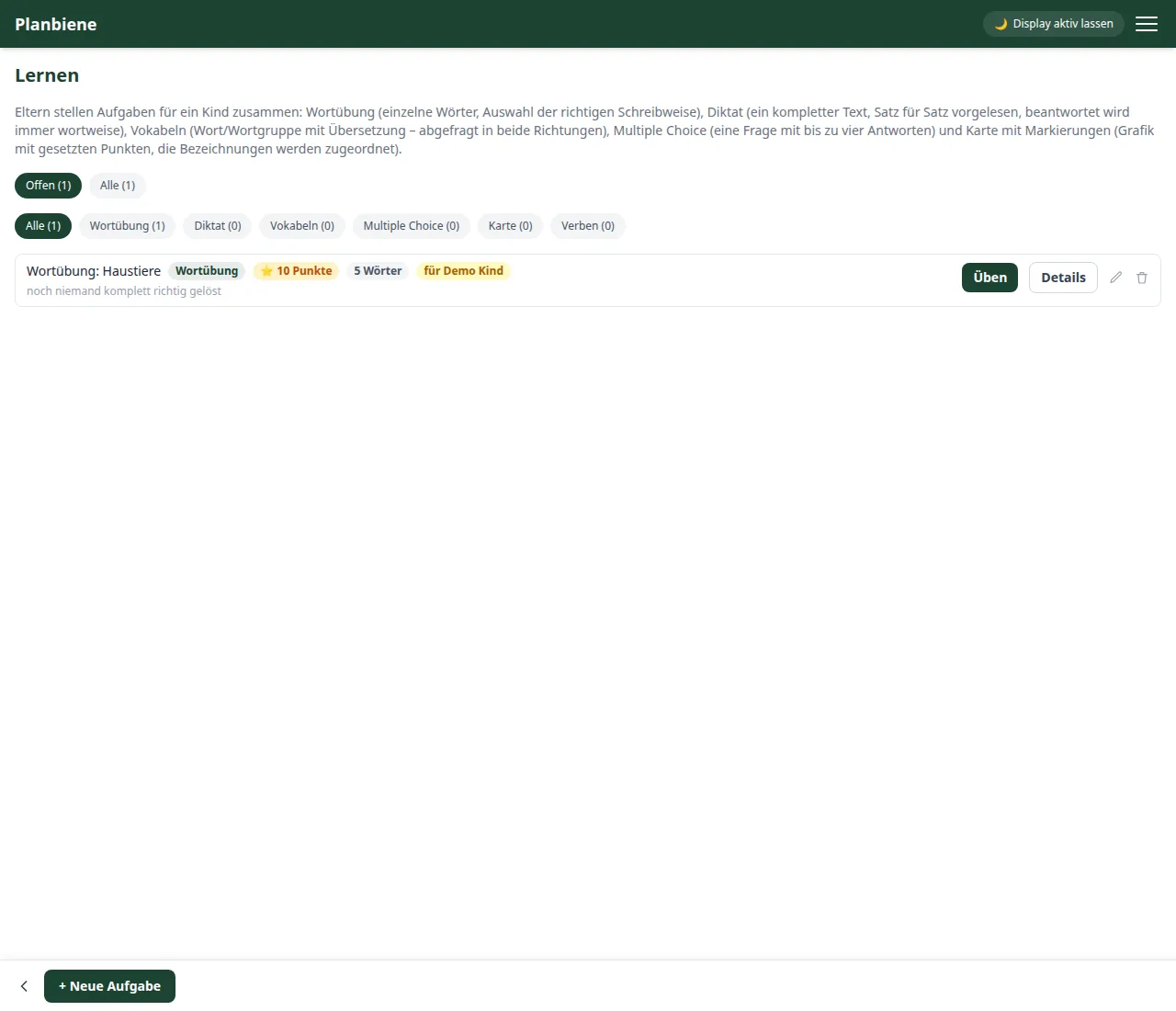
Learning
Exercise tasks from parents for the children: word drills, dictation, vocabulary, multiple choice, map, verbs and fractions – with ⭐ points per flawless run.
Custody planner
Keep an eye on the custody model: care days, swap days, notes, a change log and a share link for the monthly view.
Family calendar
Integrate existing calendars – appointments appear on the home page and in the custody planner, with a push reminder beforehand. With CalDAV calendars Planbiene can also write back on request.
Receipts
Capture shared expenses with photo and individual items, and keep track of what still needs to be transferred.
Notes
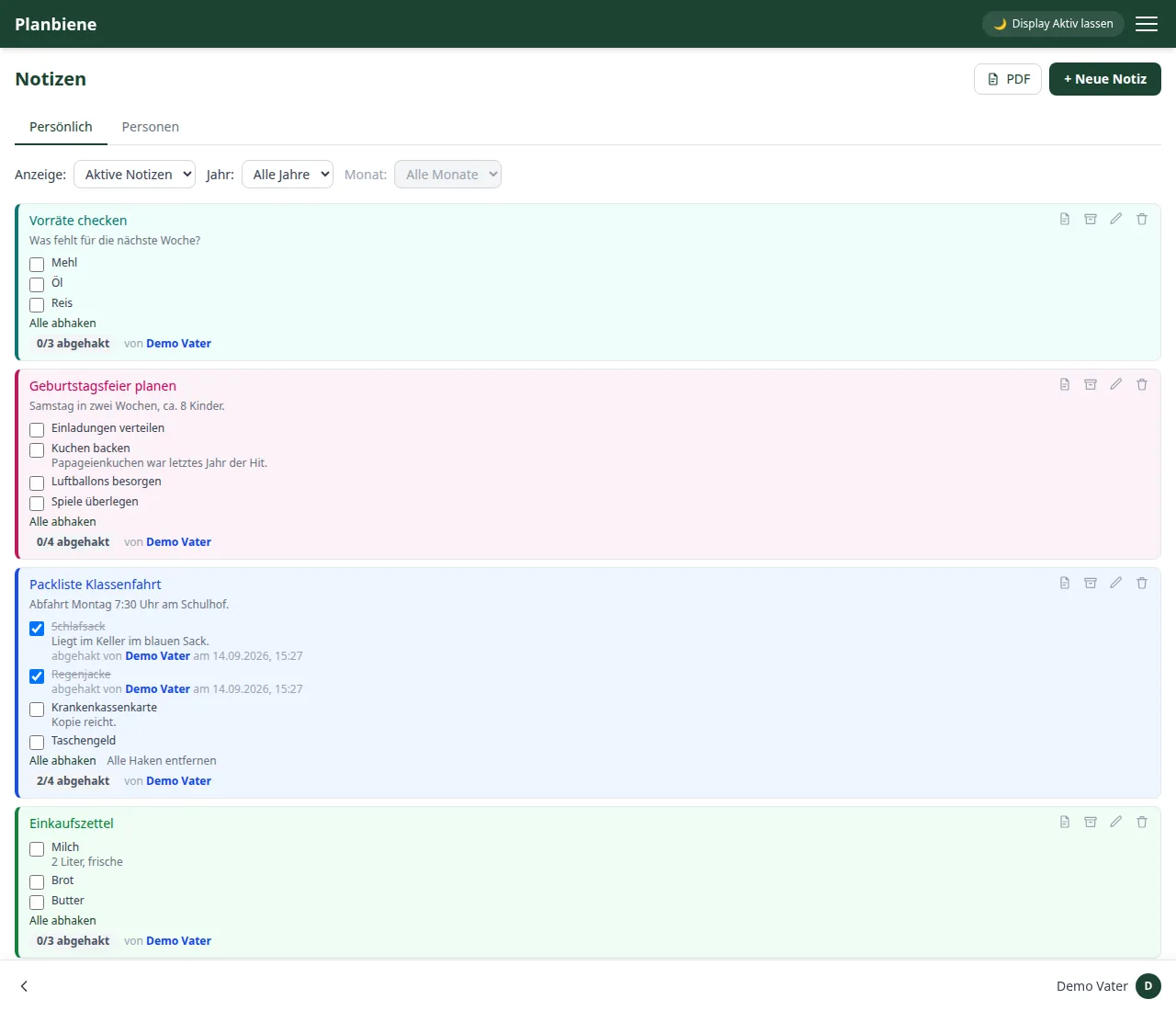
Personal notes or notes assigned to one person, visible and editable for the whole family.
Household budget
Manage fixed items and special expenses, calculate the balance, keep an eye on income and expenses.
Meter readings
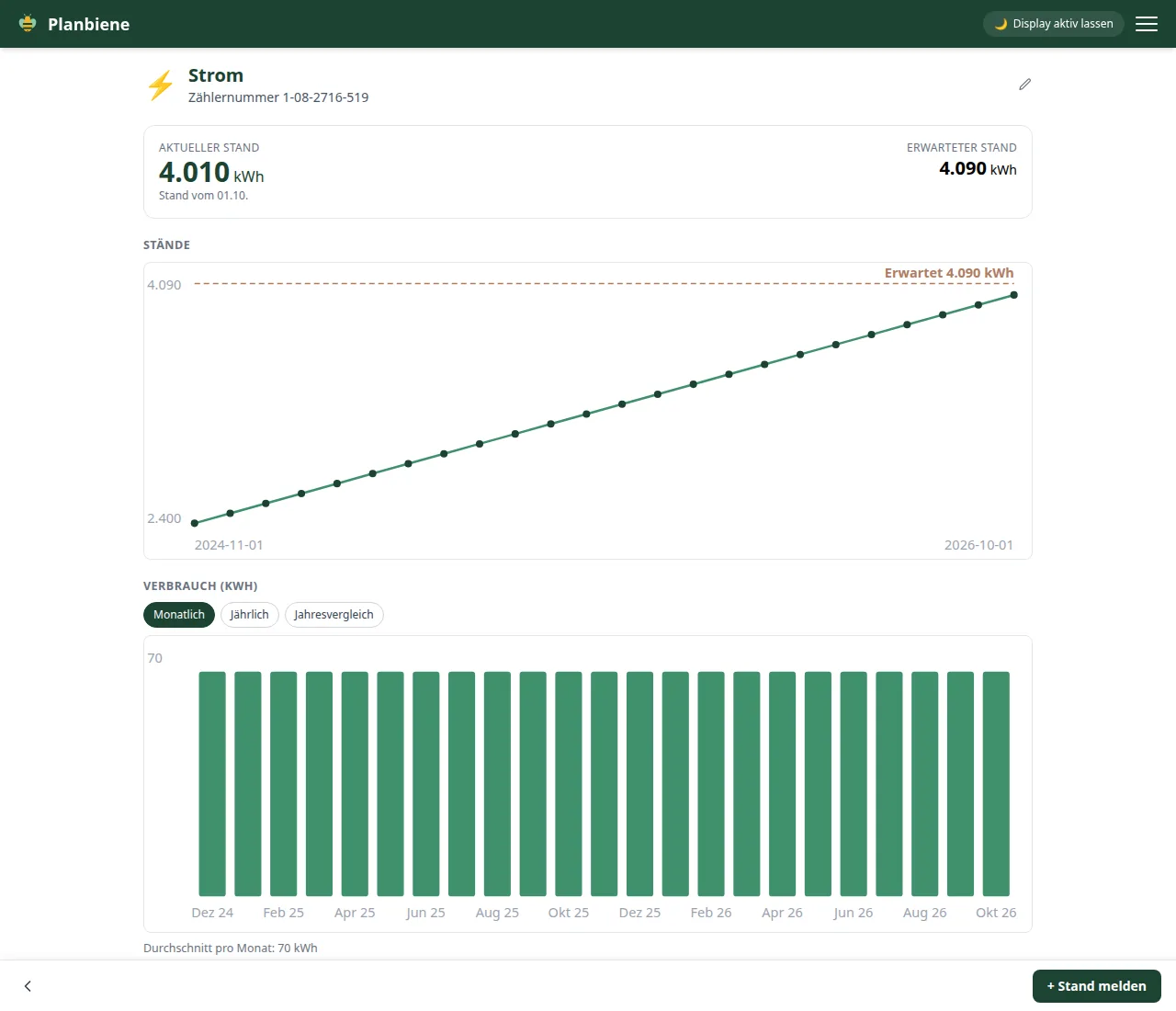
Set up electricity, gas and water meters, report readings with a photo and compare consumption in the chart.
Timetable
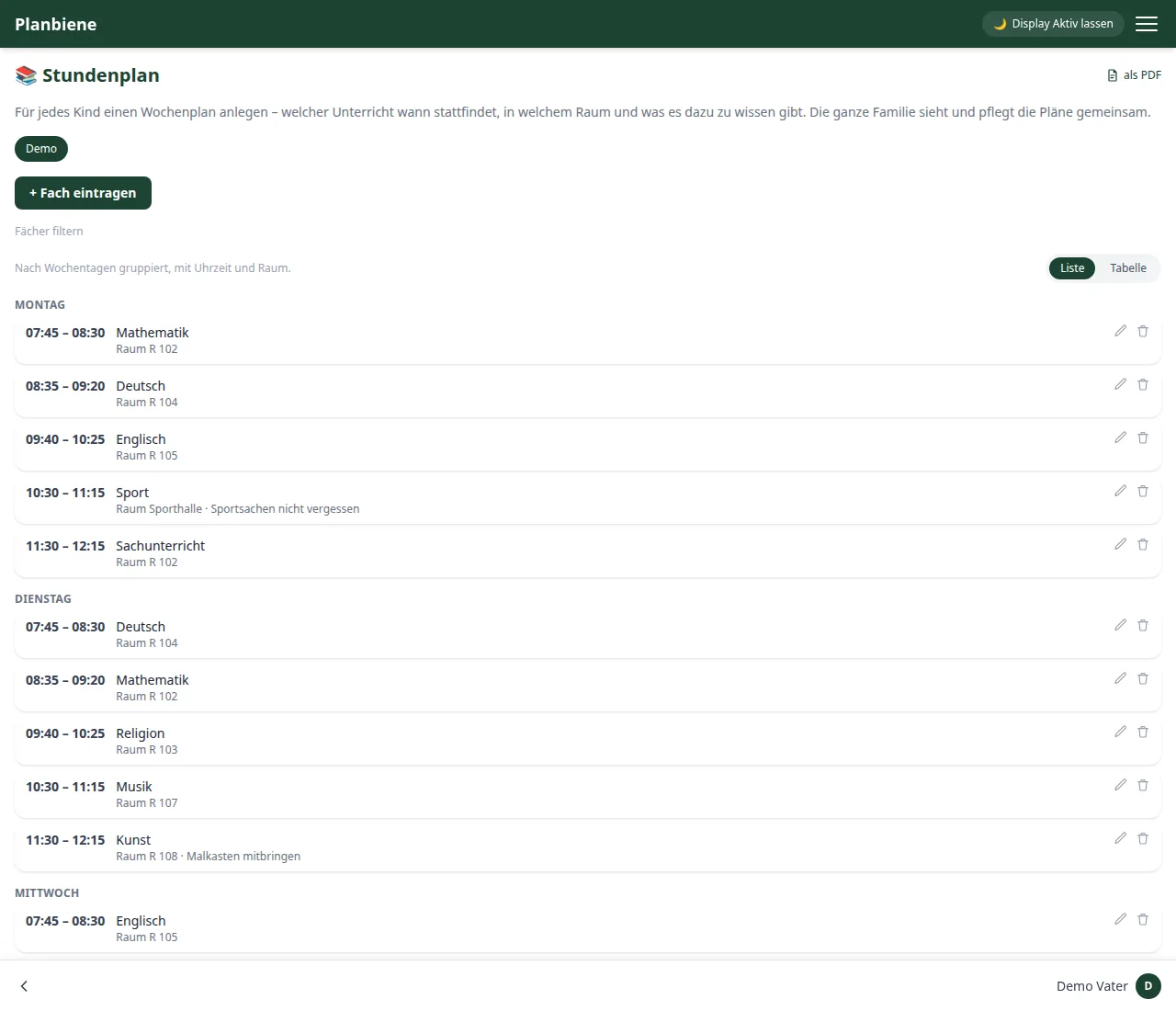
A weekly timetable per child with subject, time, room and note – as a list, as a classic table or as a PDF for the pinboard.
Sick days
Record which parent stayed home with the sick child on which day – with a total per parent over the year.
Sick pay calculator
How much sickness benefit is there when your child is ill? Reference-value calculator for 2026 – in the app and here on the page.
Holidays
Plan holidays with packing list and PDF export, with a countdown on the home page – in the custody planner the days are assigned automatically. New: compare school holidays between federal states to find common periods.
Shared custody models
Seven custody models with advantages and disadvantages, a live preview on your own calendar and a recommendation for your situation.
Waste collection
Collection dates from the regional waste calendar automatically in view – with bin colours on the home page and optional collection to-dos.
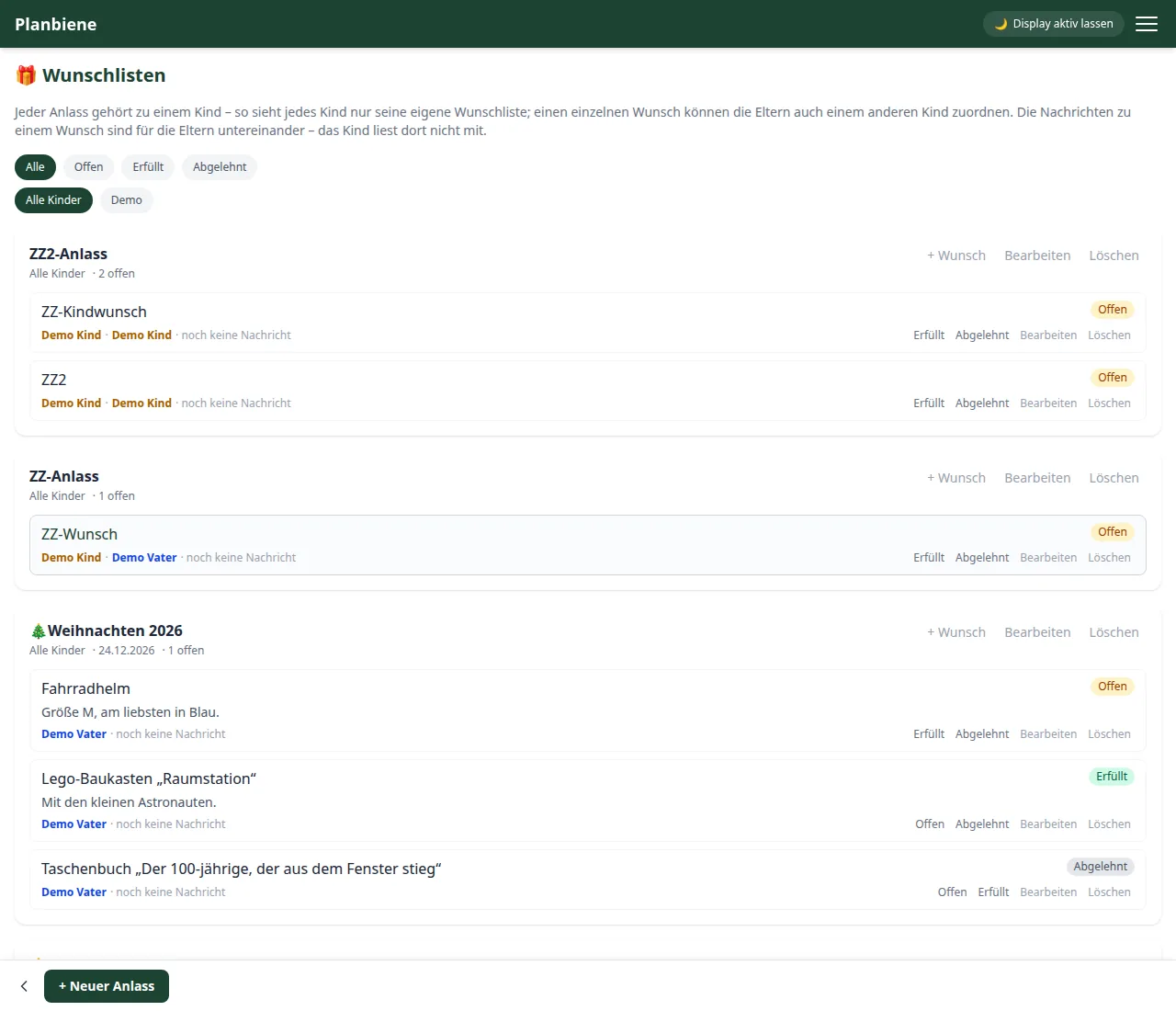
Wish lists
Collect wishes per child and occasion, mark them as fulfilled or declined and pass them on to grandma and grandpa via a share link.
What the app looks like
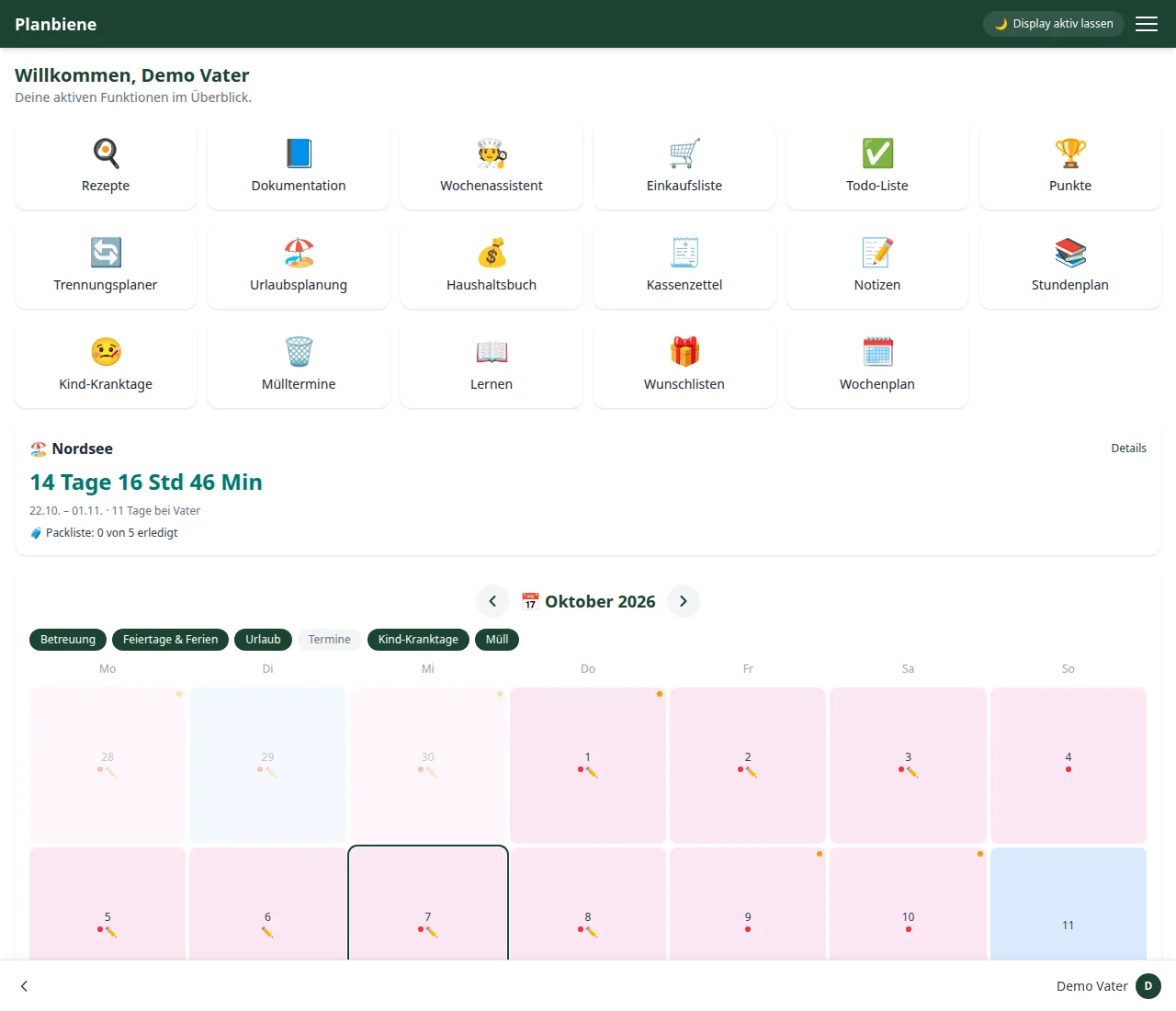
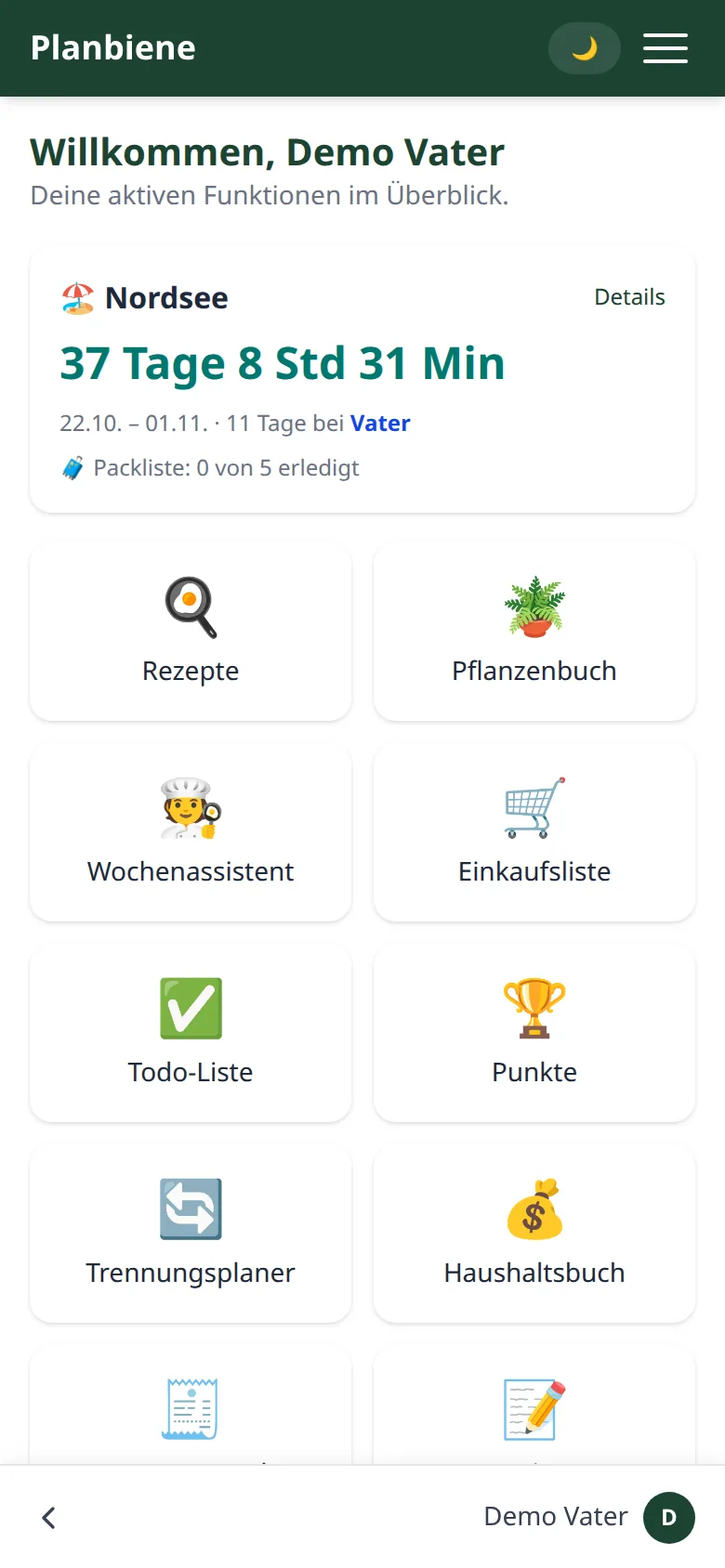
Real screenshots from the sample family of the demo mode – you can look through it yourself without signing up. Later, only your family members will see your own data.
Tips & tricks
Small moves that save a lot of time in everyday life – every tip leads straight to the matching handbook chapter.
Sorted once, sorted forever: as soon as an item has an aisle, the shopping list arranges itself for the whole family.
Shopping list in the handbook →The barcode button stays at the top of the header: hold a product up to the camera and you're done – including nutrition scores and prices.
Scanning a barcode in the handbook →The weekly assistant fills the shopping list from the cooking plan automatically and adds up shared ingredients.
Weekly assistant in the handbook →Cooking mode also works offline: once opened, images and text stay cached.
Cooking mode in the handbook →Mark recipes as favourites – so they're quicker to hand when planning.
Recipes in the handbook →The balance on the home screen shows the month's total including one-off expenses – a single glance is enough.
Household budget in the handbook →Report every reading with a date – Planbiene calculates the consumption from the difference between two readings.
Meter readings in the handbook →Compare the school holidays of several German states side by side and find shared periods.
Holidays in the handbook →Completed tasks earn points; the leaderboard shows who's in front.
Points in the handbook →Add your local bin collection dates – the home screen reminds you in time.
Bin collection in the handbook →Two ways to try it out
Having a look around works immediately and without signing up. If you want to maintain your own data, you get an access that I set up personally for you.
🎬 Demo mode: instantly, without signing up
On the login page there is the 🎬 Demo mode button. One click and you are in a sample family – completely without a password. Along the way you choose whose perspective you want to see:
- Log in as father or log in as mother – the parents' view: all modules, all children, full rights.
- Log in as child – the restricted view of a child: own timetable, own points, no household budget.
The sample family is filled with sample data – recipes, weekly planner, children's week plan, shopping list, to-dos, notes, household budget, wish lists, learning tasks, timetable and a custody plan. Everything in it can be used and changed; none of it is real data, and your own data does not arise there.
Your own access: set up personally
No self-registration – I set up every access by hand, so that you are looked after personally from the start.
-
1
Send a request
Fill in the form below – I receive your contact details directly by email.
-
2
Set up the access
I create your own family and send you the access details.
-
3
Try it out
Get started right away – with your own data, within the limits of the demo version listed below.
Limits of the demo version
What is meant here is your own demo family, set up for you – the demo mode with the sample family is unaffected by this:
- Up to 5 to-dos
- Up to 5 recipes
- Up to 5 manual shopping list entries
- Custody planner usable for 3 months, then deactivated automatically
For the full scope without these limits: see prices.
Prices
Test without commitment first, then decide. No automatic conversion – the full version is set up personally with you.
Demo
0 €
Your own access for trying it out, with no time limit
- All family modules – from recipes to the children's week plan
- Your own separate family area
- Up to 5 to-dos, 5 recipes, 5 shopping list entries
- Custody planner usable for 3 months
Full version
49 €/ year
5 €/ month
Monthly billing, cancellable at any time
- All family modules without restriction
- No limits on to-dos, recipes and shopping list
- Custody planner permanently usable
- Set up personally for your family
No self-service: I set up every family personally, so when you get in touch you simply decide whether it should be the demo or the full version straight away.
Frequently asked questions
How much does Planbiene cost?
The demo version is free. The full version costs €49 per year or €5 per month and can be cancelled at any time. There is no self-registration – every family is set up personally. See pricing for details.
Can I try Planbiene for free?
Yes. On app.planbiene.de the “🎬 demo mode” button takes you into a pre-filled sample family without signing in – as father, mother or child. For your own data there is a personally set-up, unlimited demo account with small limits (up to 5 to-dos, 5 recipes and 5 shopping-list entries; custody planner for 3 months).
Which devices does Planbiene run on?
Planbiene runs in the browser and is optimised for smartphone, tablet and computer – nothing needs to be installed.
Does every family member need their own account?
Yes, each person gets their own account. Children see a restricted area with their own timetable, points and tasks; parent-only modules such as the household budget or receipts stay hidden from them.
Is Planbiene suitable for patchwork families with a custody model?
Yes – that is what it is designed for. The custody planner, the seven custody models, the school-holiday comparison across federal states and the children’s sick days cover everyday life across two households.
Is my data safe and kept separate?
Every family has its own, strictly separate area – nothing is shared with other families. There is no advertising and no tracking.
Can I hide individual modules?
Yes. Under ⚙️ Settings you decide which tiles appear on your home screen. Which modules a family may use at all is decided by the administration.